
 Log in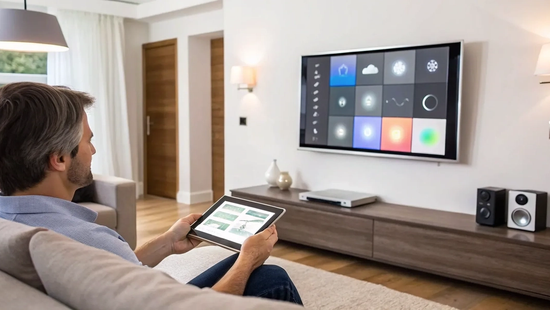
The idea of creating a smart home can feel overwhelming, like you need to be a tech expert and replace every appliance you own. That couldn't be further from the truth. Building a smart home is a journey, not a one-time renovation. You can start with a single device, like a smart plug for your coffee maker or a video doorbell for extra security. The key is to add pieces that solve a real problem for you. Over time, these individual gadgets come together to form a cohesive network. This gradual approach to the internet of things iot for building smart home system makes it manageable, affordable, and tailored to your specific needs.
Key Takeaways
- Your Wi-Fi Is the Most Important Device: A smart home is only as reliable as its internet connection. Start with a high-speed fiber network that can handle dozens of devices at once to prevent frustrating delays and get the instant response you expect from your gadgets.
- Start Small and Stick to One System: Avoid feeling overwhelmed by beginning with a few useful devices, like smart plugs or a thermostat. Choose a primary ecosystem (like Google Home or Amazon Alexa) from the start to ensure all your future gadgets will work together smoothly.
- Basic Security Habits Make a Big Difference: You don't need to be an expert to protect your home. Simple steps like creating unique passwords, enabling two-factor authentication, and turning on automatic software updates are the most effective ways to keep your network and data safe.
What is a Smart Home, Really? (An IoT Intro)
You’ve probably heard the term "smart home" thrown around, but what does it actually mean? At its core, a smart home is simply a home equipped with devices that connect to the internet, allowing you to manage them remotely. This network of connected gadgets is often called the Internet of Things, or IoT. Think of it as giving everyday objects—like your lights, thermostat, and doorbell—a digital upgrade so you can control them from an app on your phone.
The real magic isn't just about turning lights on from your couch. It's about creating a home that responds to your needs, making life more convenient, secure, and even energy-efficient. Imagine your thermostat learning your schedule to save on heating bills, or getting an alert on your phone when a package is delivered. That’s the goal: to have your home’s systems work for you, often automatically. This smart home technology provides a new level of control, whether you're at home or halfway around the world. It’s less about living in a futuristic movie and more about simplifying your daily routines.
How Your Smart Devices Talk to Each Other
For your smart home to work seamlessly, your devices need to do more than just connect to the internet—they need to talk to each other. This communication is made possible by tiny sensors and wireless signals. The key is having a central "brain," or hub, that coordinates everything. This could be a dedicated device or even a smart speaker like an Amazon Echo or Google Nest.
When all your gadgets can communicate through this hub, you can create routines that trigger multiple actions at once. For example, saying "Goodnight" could lock the doors, turn off the lights, and lower the thermostat simultaneously. This device compatibility is what transforms a collection of cool gadgets into a truly intelligent home system.
Why Fast Internet is Your Smart Home's Foundation
All this communication between devices requires a strong, stable internet connection. Think of your Wi-Fi network as the nervous system of your smart home. Every smart plug, camera, and speaker needs a slice of your bandwidth to send and receive information instantly. If your connection is slow or unreliable, you'll experience frustrating delays—lights that take seconds to respond or a security camera feed that constantly buffers.
That’s why a high-speed fiber connection is so important. With symmetrical upload and download speeds, fiber internet provides the robust foundation your smart home needs to operate flawlessly. It ensures all your devices have the bandwidth they need to communicate without lag, giving you the instant response and reliability you expect. Our internet plans are designed to handle dozens of connected devices, so your smart home just works.
Your Smart Home Starter Kit: Essential Devices
Dipping your toes into the world of smart homes can feel like a huge project, but it doesn't have to be. You can start small and build a system that works for you over time. Think of it like putting together a toolkit—you begin with the essentials and add specialized tools as you need them. A great starter kit includes a few key devices that offer immediate benefits in convenience, security, and efficiency, turning your house into a home that truly works for you.
The foundation for all of this is a strong, reliable internet connection. Each smart device you add to your home connects to your network, sending and receiving information constantly. Without enough bandwidth, you might experience frustrating delays—like lights taking a few seconds to turn on or a security camera feed that's always buffering. That’s why having a high-speed fiber connection from Novos Fiber is so crucial. It provides the power and stability to support a whole ecosystem of devices, ensuring everything runs smoothly from day one. Let’s walk through the five essential devices that form the core of a great smart home system.
Smart Hubs: The Brain of the Operation
Think of a smart hub as the central command center for your home. It’s the device that allows all your other smart gadgets—lights, thermostats, cameras, and more—to communicate with each other and with you. Instead of juggling a dozen different apps, a hub unifies everything into one simple interface. This is where smart home device compatibility becomes so important; a good hub ensures all your chosen devices can work together seamlessly. Popular options like the Amazon Echo, Google Nest Hub, or Apple HomePod even come with built-in voice assistants, so you can control your entire home just by speaking.
Smart Thermostats for Comfort and Efficiency
A smart thermostat is one of the most practical first steps into home automation. It learns your daily routines and automatically adjusts the temperature to keep you comfortable when you're home and save energy when you're away. You can also control it from your phone, so you can warm up the house on your way back from work or check that you turned the AC off after leaving for vacation. This simple upgrade can make a real difference in your utility bills and is a perfect example of how IoT for home automation can lead to greater energy efficiency without sacrificing comfort.
Smart Lighting and Plugs
If you’re looking for an easy and fun entry point, start with smart lighting and plugs. Smart bulbs let you change the brightness and even the color of your lights from an app or with your voice. You can schedule them to turn on gradually in the morning or dim for movie night. Smart plugs are even more versatile—they can turn almost any regular appliance into a smart one. Plug in a lamp, a fan, or your coffee maker, and you can suddenly add automation to your daily routines and control it all remotely.
Smart Security Cameras and Doorbells
For extra peace of mind, smart security cameras and video doorbells are fantastic additions. They let you see who’s at your door from anywhere, get alerts when motion is detected, and even speak to visitors through two-way audio. This is where a fast internet connection with strong upload speeds really matters—it ensures you get clear, smooth video feeds instead of choppy, pixelated images. These devices act as your eyes and ears when you’re not home, combining security with the convenience of knowing what’s happening on your property at all times.
Smart Sensors and Monitors
Sensors are the unsung heroes of the smart home, working behind the scenes to make everything happen automatically. At their core, these advanced sensors enable your devices to react to the world around them. A motion sensor can turn on the lights when you walk into a room. A door sensor can send an alert to your phone if a door is left open. You can even place water leak detectors under sinks or near a washing machine to catch problems before they become disasters. These small, often-unseen devices are what truly make your home responsive and intelligent.
The Payoff: A More Convenient and Efficient Home
So, you’ve got the devices and a solid internet connection. Now for the fun part: seeing how a smart home actually makes your life easier. It’s not just about cool gadgets; it’s about creating a home that works for you, saving you time, energy, and even money. Think of it as getting back little moments in your day. Instead of running around flipping switches or worrying if you left the AC on, you can let your home handle the details. This is where all the setup pays off, turning your daily routines into seamless, automated experiences that give you more control and peace of mind.
Save Energy with Automated Climate Control
One of the most practical benefits of a smart home is its ability to lower your energy bills. A smart thermostat, for example, learns your daily habits and adjusts the temperature automatically. It can cool the house down right before you get home from work and save energy while you’re away or asleep. You can also use smart plugs to turn off electronics that draw power even when they’re not in use. By using sensors and smart devices, you can monitor your home remotely and automate these tasks, which seriously improves your home's energy efficiency without sacrificing comfort. It’s a simple way to make a real impact on your monthly expenses.
Use Voice Commands and Remote Controls
Imagine walking into a dark house with your hands full and simply saying, “Hey Google, turn on the lights.” That’s the convenience of a voice-controlled smart home. You can change the thermostat, play your favorite music, or check who’s at the front door without lifting a finger. And when you’re not home, that control is still in your pocket. A smart home app on your smartphone lets you manage everything from anywhere. Did you forget to lock the door? Check the app. Want to make sure your package was delivered? View your camera feed. This level of control offers both incredible convenience and a welcome sense of security.
Create Schedules That Simplify Your Day
Your daily life has a rhythm, and your smart home can sync up with it perfectly. You can program devices to run on schedules that match your lifestyle, making your routines smoother. For instance, you could create a "Good Morning" routine that gradually brightens your lights, starts the coffee pot, and plays the morning news when your alarm goes off. Or, set up a "Goodbye" scene that turns off all the lights, locks the doors, and adjusts the thermostat with a single command as you leave. These programmed IoT devices handle the small stuff, so you have more mental space to focus on your day.
Gain Peace of Mind with Smart Security
A smart home does more than just simplify your daily routine; it can also act as a vigilant guardian for your family and property. While smart lighting and thermostats add convenience, smart security systems provide a profound sense of safety. Imagine being able to check that your doors are locked, see who’s at the front door, and get immediate alerts about any unusual activity, all from the palm of your hand. This level of connection offers incredible peace of mind, whether you're at work, on vacation, or just running errands across town. You’re no longer left wondering if everything is okay back home—you can know for sure with a quick glance at your phone.
Of course, for these security features to be effective, they need a rock-solid foundation. Instant alerts and high-definition video feeds are data-intensive and depend on an internet connection that’s both fast and incredibly reliable. A lagging video stream from your security camera or a delayed notification about a potential issue defeats the purpose of having a security system in the first place. This is where a high-speed fiber connection becomes non-negotiable. It provides the bandwidth and stability needed to run multiple security devices simultaneously without a hitch, ensuring you receive critical information in real-time. A security network you can truly count on starts with an internet service you can trust. Let’s look at the key components that work together to keep your home safe and secure.
Smart Locks and Access Control
Have you ever left home and had that nagging feeling you forgot to lock the front door? Smart locks are the perfect cure for that anxiety. These devices replace your traditional deadbolt and allow you to lock and unlock your door using your smartphone, a keypad code, or even your fingerprint. You can grant temporary access to a house sitter or a delivery person without ever handing over a physical key. This gives you complete control over your home from anywhere in the world. You can check your door’s status on an app and lock it with a single tap, ensuring your home is secure no matter where you are.
Cameras and Monitoring Solutions
Smart security cameras and video doorbells are your eyes and ears when you’re away. They allow you to see who’s at your front door, check in on your pets, or get a live view of your property anytime. Many modern cameras use artificial intelligence to distinguish between people, pets, and vehicles, so you only get alerts that matter. For these devices to work seamlessly, you need strong upload speeds to send clear, high-definition video to your phone. A powerful fiber internet connection ensures your video feed is smooth and lag-free, giving you a clear picture of what’s happening at home in real time.
Instant Alerts and Emergency Notifications
The true power of a smart security system lies in its ability to notify you instantly when something is amiss. Whether a camera detects motion in your backyard, a smart lock is tampered with, or a sensor detects a water leak, you’ll receive an immediate notification on your phone. You can manage all of this through a single smart home app, allowing you to see what’s happening and decide how to respond. This rapid communication is only possible with a dependable internet connection. When it comes to your family’s safety, you need the assurance that every critical alert will arrive the second it’s sent, without fail.
Making Sure Your Devices Play Nicely Together
One of the biggest joys of a smart home is when everything works together in perfect harmony. But if you’ve ever tried to get two gadgets from different brands to communicate, you know it can feel like you’re trying to be a UN translator. The secret to avoiding this frustration is a little bit of planning. Ensuring your devices are compatible from the start is the most important step toward building a smart home that’s actually smart, not just a collection of cool but disconnected tech.
Think of it like building a team. You want players who can communicate and work toward the same goal. In your home, that goal is to make your life easier. When your smart lights, thermostat, and security camera can all talk to each other, you can create powerful automations—like having your lights turn on and the heat adjust when your smart lock registers you’ve come home. This synergy is what transforms a house with gadgets into a truly intelligent home. The good news is that you don’t need a degree in computer science to figure it out. By understanding a few key concepts and choosing your core components wisely, you can build a seamless and reliable system.
Understand the Lingo: Zigbee, Z-Wave, and More
When you start shopping for smart devices, you’ll see terms like Zigbee, Z-Wave, and Wi-Fi. These are simply the languages, or communication protocols, that devices use to talk to each other. Many manufacturers build their products using these common protocols, which helps them work with a wide range of systems. Wi-Fi is the one you already know, and it’s great for devices that need a lot of bandwidth, like security cameras. Zigbee and Z-Wave create their own separate, low-energy mesh networks, which is ideal for smaller devices like sensors and smart plugs because it won’t clog up your Wi-Fi. A newer protocol called Matter is also emerging with the goal of unifying all these standards.
Choose a Hub to Unify Your System
A smart hub is the brain of your operation. It acts as a central command center that translates and relays signals between all your different devices, even if they speak different languages (like Zigbee and Z-Wave). When you select a hub, you can control everything from a single app instead of juggling a dozen. Popular devices like the Amazon Echo and Google Nest Hub have hubs built right in. The key is to make sure the devices you buy are compatible with the hub you choose. Many smart home platforms even offer online tools to let you check if a specific gadget will work with their ecosystem before you buy it.
Plan for a Seamless Setup
A little forethought goes a long way in preventing setup headaches. Before you start buying devices, decide which ecosystem you want to build around (like Amazon Alexa, Google Home, or Apple HomeKit). This choice will guide your future purchases. When you’re shopping, look for "Works with..." badges on the packaging or product description. This simple verification step ensures your new device will integrate smoothly with your existing setup. And remember, all these devices rely on a strong, stable connection to communicate with each other and the internet. A powerful fiber internet plan provides the speed and reliability needed to run dozens of devices at once without a hitch.
Common Smart Home Hurdles (and How to Clear Them)
Jumping into the world of smart homes is exciting, but it’s normal to hit a few snags along the way. You might wonder if all your new gadgets will work together or if your Wi-Fi can handle the extra load. The good news is that most of these challenges have straightforward solutions. With a little planning, you can sidestep the common pitfalls and build a smart home that’s helpful, not a headache. Let’s walk through some of the most frequent hurdles and talk about how to clear them with confidence.
Solving Device Compatibility Puzzles
One of the first questions people ask is, "Will this smart light work with my smart speaker?" It's a great question, because not all devices are designed to speak the same language. To create a truly seamless system, you need to ensure your devices are compatible. The easiest way to do this is by choosing an ecosystem—like Amazon Alexa, Google Home, or Apple HomeKit—and sticking with it. Look for "Works with" labels on the packaging. Many brands also offer online compatibility check tools that let you confirm whether a device will play nicely with your existing setup before you buy.
Why a Reliable Network is Non-Negotiable
Think of your Wi-Fi network as the central nervous system of your smart home. Every smart plug, camera, and thermostat relies on it to communicate with you and with each other. A slow or spotty connection can lead to frustrating delays, like lights that take forever to turn on or a video doorbell that buffers endlessly. For a smooth experience, especially as you add more devices, you need a connection that can handle the traffic. A high-speed fiber internet plan provides the bandwidth and low latency required to keep all your smart devices running in perfect sync, without interruptions.
Plan Your Budget for Initial and Future Costs
Building a smart home doesn't have to break the bank, but it’s wise to have a budget in mind. The costs of smart devices have become much more affordable, but they can still add up. A great approach is to start small. Pick one or two areas you want to automate first, like lighting or climate control, and build from there. This allows you to spread out the cost over time. As you plan, think about your long-term goals for your home. Having a vision for what you might want to add later helps you invest in a hub and devices that will support your system as it grows.
Protect Your Privacy and Secure Your Data
Connecting more devices to the internet naturally brings up questions about security and privacy. Protecting your personal information is crucial, and it starts with a few simple but powerful habits. Always change the default username and password on any new device you install. Create strong, unique passwords for your smart home apps and enable two-factor authentication whenever it’s an option. It’s also important to stick with reputable brands that release regular firmware updates, as these often contain critical security mechanisms and patches. These small steps go a long way in keeping your smart home and your data secure.
Your Step-by-Step Smart Home Setup Guide
Ready to build your smart home? It’s much simpler than you might think. The key is to take it one step at a time, starting with a solid foundation and adding devices as you go. You don’t need to be a tech genius or buy everything at once. By following a few straightforward steps, you can create a connected home that makes your daily life easier, more efficient, and more secure. Let’s walk through how to get your network prepared, install your first few gadgets, and create simple automations that work for you.
Get Your Network Ready for Smart Devices
Before you unbox a single smart plug, let's talk about your home network. It’s the invisible framework that holds your entire smart home together. A slow or unreliable connection will lead to frustrating delays, with lights that don’t turn on and commands that go unanswered. That’s why starting with high-speed fiber internet is so important—it provides the bandwidth and stability needed to handle dozens of connected devices without a hiccup. To get the most out of your setup, smart home device compatibility is essential. Make sure the devices you choose can all communicate through a central hub or app to avoid juggling multiple controls.
Install and Configure Your First Devices
Now for the fun part: adding your first devices. My advice? Start small. Pick one or two simple items like smart plugs or a smart thermostat. Most devices are designed for easy, DIY installation. Typically, you’ll just plug it in, download the manufacturer’s app on your smartphone, and follow the on-screen prompts to connect it to your Wi-Fi network. This app becomes your centralized system for controlling the device. As you expand, you’ll find that many devices use common communication protocols like Wi-Fi, Zigbee, or Z-Wave, which helps them work together within a larger smart home ecosystem like Amazon Alexa or Google Home.
Create Your First Automation Routines
This is where the magic happens. Automation is what turns a collection of cool gadgets into a truly “smart” home. A routine is a series of actions that you program to happen automatically based on a trigger, like the time of day, your location, or a voice command. For example, you could create a “Good Morning” routine that slowly brightens your lights, starts the coffee maker, and adjusts the thermostat when your alarm goes off. Using your smart hub’s app (like the Alexa app), you can easily build these routines. Start with something simple, like having your porch light turn on automatically at sunset.
How to Keep Your Smart Home Secure
A smart home is all about adding convenience and peace of mind to your life, but that feeling only lasts if you know your home is secure. With every new smart device you add—from a doorbell camera to a smart thermostat—you're also adding a new potential entry point into your digital life. It sounds a little intimidating, but it doesn't have to be. Taking a few straightforward steps can make a huge difference in protecting your home and your data from unwanted visitors.
It all starts with your home network. Think of your Wi-Fi router as the digital front door to your home. Just as you wouldn't leave your physical front door unlocked, you shouldn't leave your network unprotected. A strong, secure internet connection is the foundation of a safe smart home. With a reliable high-speed fiber internet plan, you get the performance you need for all your devices, plus the stability that helps keep your security systems online and running smoothly. Let's walk through the key practices for locking down your smart home so you can enjoy all the benefits without the worry.
Secure Your Network and Authenticate Devices
Your first line of defense is your Wi-Fi router. Start by changing the default administrator name and password—the ones that came printed on the sticker. Make it something unique and strong. A great next step is to set up a separate guest network just for your smart home devices. This isolates them from your main network where your personal computers and phones live, making it harder for a compromised IoT device to affect your sensitive data. Centralizing your devices through a smart home hub can also streamline security management, letting you control everything from one secure app.
Update Firmware and Use Strong Passwords
Every smart device runs on its own internal software, called firmware. Manufacturers regularly release updates to patch security holes and fix bugs. These IoT vulnerabilities are the primary way hackers gain access, so keeping your firmware current is critical. The best way to stay protected is to turn on automatic updates whenever possible. This ensures your devices are always running the latest, most secure version without you having to think about it. And please, don't use the default password that comes with your new smart camera or lightbulb. Create a unique, complex password for every single device and its associated app. A password manager can be a lifesaver here, helping you generate and store strong passwords for everything.
Manage Privacy Settings to Protect Your Data
Smart devices collect a lot of data about your habits and routines. While some of this is necessary for them to work properly, you have control over how much information is shared. Take a few minutes to explore the privacy settings in each device's app. You can often limit data collection, turn off location tracking, and control whether your data is used for marketing. For devices with microphones or cameras, like smart speakers and security cams, be extra mindful. Understand when they are recording and where that data is being stored. Managing these settings gives you power over your personal information and helps keep your private life private.
Smart Home Myths, Busted
The idea of a smart home is exciting, but it can also feel a bit intimidating. You might have heard stories about complicated setups, high costs, or security risks that make you pause. It’s easy to wonder if automating your home is more trouble than it’s worth. The good news is that many of the most common concerns are based on outdated information or simple misunderstandings.
Technology has come a long way, making smart homes more accessible, secure, and affordable than ever before. You don’t need to be a tech expert or have a huge budget to enjoy the convenience and peace of mind that a connected home can offer. Let’s clear up some of the biggest myths so you can feel confident about getting started.
Addressing Concerns About Security and Complexity
Two of the biggest hurdles for many people are the fear of being hacked and the feeling that it’s all too technical. While it’s smart to be mindful of security, reputable manufacturers build their devices with strong protections and release regular software updates to patch vulnerabilities. The most critical step you can take is securing your home Wi-Fi network. As for complexity, most modern smart devices are designed for everyday users, not engineers. With intuitive mobile apps and simple plug-and-play setups, getting your first device running is often as easy as screwing in a lightbulb and following a few on-screen prompts.
Understanding the Real Costs and Compatibility
Another common belief is that creating a smart home will drain your bank account and that getting devices to work together is a nightmare. The reality is you can start small and build your system over time. A single smart plug or a thermostat can be an affordable first step, and many devices can even help you save money on energy bills. When it comes to making your gadgets play nicely, checking for smart home device compatibility is easier than ever. Brands clearly label their packaging and product pages to show which ecosystems they work with, like Amazon Alexa or Google Home, taking the guesswork out of building a unified system.
Keep Your Smart Home Running Smoothly
Once you have your smart home up and running, keeping it in top shape is easier than you might think. A little bit of routine maintenance ensures your devices stay responsive, secure, and helpful. Just like any other system in your home, a quick check-in now and then prevents small hiccups from turning into bigger headaches. With a strong internet connection as your foundation, these simple steps will help you maintain a seamless and reliable smart home for years to come.
Simple Maintenance and Troubleshooting Tips
Think of this as a quick health check for your connected home. First, always keep your device firmware updated. Most apps have an option for automatic updates, which is the easiest way to get the latest security patches and features without having to think about it. If a device seems sluggish or unresponsive, start with the basics: check its battery level or restart it. You can also reboot your Wi-Fi router to refresh the connection for all your devices. Finally, take a moment every few months to review your security settings and passwords in each smart home app to ensure your personal data stays protected.
How to Grow Your System Over Time
Expanding your smart home should be exciting, not complicated. As you add new devices, focus on compatibility. Many products use common communication languages like Wi-Fi, Zigbee, or Z-Wave, but the simplest approach is to look for devices that work with your existing hub or voice assistant. Before you buy, check the packaging for "Works with Alexa" or "Google Home compatible" logos. For future-proofing, look for the Matter logo, a universal standard that helps different brands work together. Adding a new bridge that supports the new protocol can also help integrate older gadgets into a modern system, so your early investments continue to pay off.
Related Articles
Frequently Asked Questions
What's the easiest and most affordable way to start a smart home? You don't have to automate your entire house at once. The best way to begin is by picking one small problem you'd like to solve. A great starting point is with smart plugs or smart light bulbs. They are relatively inexpensive and incredibly easy to set up. This lets you get a feel for how the technology works and experience an immediate benefit, like scheduling your lights to turn on before you get home, without a huge initial investment.
Will adding a bunch of smart devices slow down my internet for other things, like streaming or gaming? That's a common concern, and it really depends on the strength of your internet connection. While each smart device uses a small amount of bandwidth, adding dozens of them to a slow or unstable network can cause lag. However, a high-speed fiber connection is built to handle this kind of traffic. It provides more than enough capacity to run all your smart gadgets smoothly while you stream movies, take video calls, or game online without any frustrating interruptions.
Do I absolutely need a smart hub, or can I just use my phone? You can definitely start without a dedicated hub. Most smart devices can be controlled directly from their own app on your smartphone. However, as you add more gadgets from different brands, a hub becomes the key to making them all work together. It unifies everything into a single app and allows you to create routines where one action triggers another. Many smart speakers, like an Amazon Echo or Google Nest, have hubs built right in, so you might already have one.
How can I be sure my smart home isn't vulnerable to hackers? Keeping your smart home secure comes down to a few simple, powerful habits. The most important step is to secure your Wi-Fi network with a strong, unique password. For every smart device you install, be sure to change the default password that came in the box and enable two-factor authentication whenever it's offered. Finally, always allow your devices to perform automatic software updates, as these updates often contain critical security patches.
What happens if I buy a device and it's not compatible with my other gadgets? This is a classic smart home headache, but it's avoidable with a little planning. Before you buy, decide which ecosystem you want to use (like Google Home or Amazon Alexa) and look for the "Works with..." label on the product's packaging. If you do end up with an incompatible device, it's not a total loss. You can almost always still control it using its own dedicated app; you just won't be able to include it in the automated routines you've set up with your other devices.


