
 Log in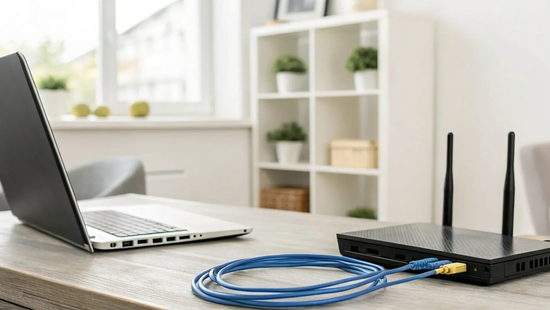
Your home office is your command center, and your internet connection is its lifeline. In a traditional office, you wouldn't tolerate constant outages or a connection so slow it stalls your workflow, so why accept it at home? When your livelihood depends on staying connected, your internet service becomes one of your most important professional assets. It impacts how efficiently you collaborate with your team and the impression you make on clients. This requires a shift in thinking: you're not just buying Wi-Fi for your house, you're securing a business-critical service. We’ll explore what separates a standard residential plan from a robust internet for working from home solution that provides the power and reliability you need to succeed.
Key Takeaways
- Choose a plan that fits your actual work: Your internet needs are unique to your job. If you spend your day on video calls or sending large files, prioritize a plan with strong upload speeds, not just fast downloads, to keep your workflow smooth.
- A reliable fiber connection is a career investment: For remote work, consistency is everything. Fiber internet provides a stable, dedicated connection with low lag, which helps you maintain a professional image without frozen screens or dropped calls.
- Take control of your home Wi-Fi setup: You can often improve your internet performance with a few simple adjustments. Place your router in a central, open location and connect your main work computer directly with an Ethernet cable for the most dependable signal.
How Much Internet Speed Do You Really Need for WFH?
Figuring out the right internet speed for your home office can feel like a guessing game. The truth is, the perfect speed isn't a single magic number; it’s about matching your connection to your daily tasks and your household’s needs. When you see an internet plan advertised, you’re usually looking at download and upload speeds, measured in megabits per second (Mbps). Download speed affects how quickly you can pull information from the internet, like loading a webpage or streaming a video. Upload speed determines how fast you can send information out, like posting a large file to a server or appearing clearly on a video call.
For remote work, both are critical. Your ideal plan depends on the kind of work you do, how many people are using the internet at once, and how many devices are connected to your network. A solo freelance writer has very different needs than a graphic designer with two kids who are online learning. Think of your internet connection as a highway. The more cars (devices and users) you have, the more lanes (bandwidth) you need to keep traffic flowing smoothly. Exploring different internet plans can help you see what options are available to build a highway that’s right for your home.
For Flawless Video Calls
We’ve all been there: you’re in the middle of making a crucial point in a meeting, and your screen freezes. Choppy audio and pixelated video aren’t just annoying; they can look unprofessional. For smooth, high-quality video calls on platforms like Zoom or Microsoft Teams, you should aim for a baseline of at least 25 Mbps. This gives you enough bandwidth to handle the constant stream of data required for clear video and audio. Keep in mind, this is a starting point for just one person. If someone else in your house starts streaming a movie or joins their own video call, you’ll be competing for bandwidth, which can degrade your call quality instantly.
For Handling Large Files and Cloud Storage
If your job involves working with large files, your upload speed is just as important as your download speed, if not more so. Think about uploading high-resolution design files, syncing huge folders to cloud storage like Dropbox, or sending a video project to a client. With a slow upload connection, these tasks can take forever and bring your productivity to a halt. For work that involves frequent, large file transfers, you’ll want a connection of 50 Mbps or more. A fast, symmetrical connection (where upload and download speeds are the same) from a fiber provider ensures you spend your time working, not watching a progress bar slowly creep across the screen.
For Juggling Multiple Devices at Once
Your work-from-home internet connection doesn’t exist in a bubble. It’s shared across every single device in your home. Your laptop, your partner’s computer, your kids’ tablets, the smart TV, gaming consoles, and even your security camera are all using a piece of your bandwidth. If multiple people in your home are online at the same time, you’ll need a much faster plan to keep everyone’s experience smooth and buffer-free. A basic plan that works fine for one person can quickly become overwhelmed in a busy household. This is why many families and remote workers find that higher-speed fiber internet service is essential for keeping their connected home running without a hitch.
What's the Best Type of Internet for Remote Work?
When your home office is your command center, your internet connection is your lifeline. Not all internet types are created equal, especially when your productivity depends on it. The technology delivering your Wi-Fi has a huge impact on everything from the clarity of your video calls to how quickly you can send a massive presentation. Let’s look at the most common options so you can figure out which one is right for your work-from-home setup.
Why Fiber Is the Gold Standard
If you're looking for the most reliable and powerful connection, fiber internet is the clear winner. Unlike other internet types that use copper wires, fiber-optic cables transmit data as pulses of light, making them incredibly fast and stable. This technology provides symmetrical speeds, meaning your upload and download speeds are equally fast. This is a game-changer for remote work. You can upload large files to the cloud in seconds, not minutes, and your video feed will stay crisp and clear during important meetings, even if your family is streaming movies in the next room. For a truly seamless WFH experience, fiber-optic internet is the gold standard.
What to Expect from Cable
Cable internet is a common option that can work for some remote workers. It runs over the same coaxial cables used for cable TV and generally offers decent download speeds. If your work mostly involves email, browsing, and occasional video calls, a cable connection might get the job done. However, its biggest drawback is asymmetrical speeds. Your upload speeds will be significantly slower than your download speeds, which can create bottlenecks when you’re sending large files or trying to maintain a high-quality video stream. Cable connections are also often shared with neighbors, so you might notice slowdowns during peak usage hours.
The Limitations of DSL and Satellite
While widely available, DSL and satellite internet come with significant limitations for remote work. DSL (Digital Subscriber Line) uses old telephone lines, which means speeds are much slower and less reliable than fiber or even cable. It can struggle to handle the demands of high-definition video conferencing, which can make you look unprofessional. Satellite internet has its own challenges. Because the signal has to travel to space and back, it suffers from high latency, or lag. This delay can disrupt video calls and other real-time applications, creating frustrating pauses and interruptions. Weather can also easily interfere with a satellite signal, leaving you without a connection when you need it most.
How Slow Internet Sabotages Your Productivity
A slow internet connection is more than a minor inconvenience when you work from home; it’s a direct threat to your productivity. Lagging video, endless loading bars, and dropped connections create constant friction that keeps you from doing your best work. These daily frustrations add up, leading to missed deadlines, added stress, and a feeling that you’re always one step behind. Your internet should be a tool that helps you succeed, not an obstacle you have to overcome.
The Frustration of Frozen Meetings
We’ve all been there: you’re making a crucial point on a video call, and your screen freezes. Your voice becomes a robotic echo, and you’re forced to drop out and rejoin, hoping you didn’t miss anything important. Slow internet can get you disconnected from meetings and hurt your work reputation. These interruptions make it difficult to collaborate effectively and can leave your colleagues and clients frustrated. A stable, high-speed connection is essential for the clear, real-time communication remote work depends on. With the right internet plan, you can show up to every meeting confidently, knowing your connection won’t let you down.
When File Transfers Take Forever
Waiting for a large file to upload or download can bring your workflow to a halt. Whether you’re a designer sending proofs or a video editor sharing a final cut, every minute spent watching a progress bar is a minute you’re not being productive. These delays don’t just affect you; they can create bottlenecks for your entire team. For smooth collaboration and handling large files without a headache, you need an internet connection with robust upload and download speeds. This ensures you can send and receive what you need quickly and get back to the work that matters.
Protecting Your Professional Image
When you work remotely, your internet connection is a reflection of your professionalism. Constant technical glitches, choppy video, and communication delays can make you appear unprepared or unreliable, even when you’re working hard. A stable internet connection is just as important as a fast one for maintaining a polished professional presence. Investing in a dependable, high-speed fiber connection is an investment in your career. It shows you’re serious about your work and equipped to handle your responsibilities without interruption. Being a provider built on trust means we understand how important it is for you to be at your best.
How to Choose the Right Internet Provider
Once you know what kind of speed and internet type you need, the next step is finding a provider that delivers on its promises. Not all internet service is created equal, and the company you choose can make or break your work-from-home experience. It’s easy to get drawn in by flashy ads for gig-speed internet, but the fastest plan on paper means nothing if the connection drops during your most important meeting. A truly great internet provider offers more than just speed; they provide a stable, reliable service that you don't have to think about.
To make a smart choice, you need to look at the complete picture. This means evaluating a provider based on the factors that actually impact your day-to-day work life. We'll cover the four pillars of a great internet provider: reliability and uptime, symmetrical speeds for uploads and downloads, transparent pricing without hidden fees, and quality customer support that’s there when you need it. Getting these right will help you find a partner you can count on to keep you connected when it matters most, so you can focus on your work, not your Wi-Fi.
Prioritize Reliability and Uptime
When you work from home, your internet connection is your lifeline. Having a fast and reliable connection is critical because your job and ability to pay your bills depend on it. Look for a provider with a reputation for consistent service and high uptime, which is the percentage of time the network is online and working. Fiber internet is often the most reliable option because the underground cables are protected from weather damage that can cause outages with cable or satellite. A provider that is invested in its community, like a local company, often has a greater commitment to maintaining its infrastructure and keeping you online.
Balance Your Upload and Download Speeds
We often focus on download speeds for streaming and browsing, but for remote work, upload speeds are just as important. Good upload speeds are essential for sending large files, participating in clear video calls, and backing up your work to the cloud. Many internet plans offer much slower upload speeds than download speeds, which can create a bottleneck. Look for a provider that offers symmetrical speeds, meaning your upload and download speeds are the same. This balance ensures your video doesn't freeze while you're presenting and that your massive project file doesn't take all afternoon to send. You can explore different internet plans to find one with the right balance for your needs.
Look for Transparent Pricing and No Data Caps
Hidden fees and surprise charges on your internet bill are frustrating. When comparing providers, look for transparent, all-in pricing without confusing promotional periods that cause your bill to skyrocket after a few months. Another major thing to watch for is data caps. Some providers limit how much data you can use each month and will either charge you overage fees or slow down your connection if you exceed the limit. For remote work, you need the freedom to use as much data as you need without worrying about extra costs. Choose a provider that offers unlimited data so you can work, stream, and connect without limits.
Insist on Quality, Local Customer Support
When your internet goes down, the last thing you want is to spend hours on the phone with a generic call center. A provider with quality, local customer support can make all the difference. Local teams understand the specific challenges in your area and are more invested in solving your problem quickly and efficiently. Before you sign up, check out a provider’s reputation for customer service. Do they offer accessible tech support? When you need help, you’ll be glad you chose a company that’s easy to reach and genuinely cares about getting you back online. You can often find support resources right on their website.
Optimize Your Home Wi-Fi Setup
Even with the fastest internet plan, your home setup can make or break your connection. Think of it this way: Novos Fiber delivers incredible speed to your door, but it’s up to your Wi-Fi network to carry it the rest of the way. A few simple tweaks to your equipment and its placement can dramatically improve your daily experience, ensuring every device gets the strong, stable signal it needs. From finding the perfect spot for your router to prioritizing your most important online activities, these tips will help you get the most out of your fiber internet connection.
Find the Best Spot for Your Router
Your router's location matters more than you might think. For the best signal, you should place your internet router in a central, open area of your home. Hiding it in a closet, a cabinet, or the corner of your basement will weaken and block the signal. Instead, think of a spot on the main floor, away from thick walls, large metal objects (like refrigerators), and other electronics that can cause interference (like microwaves). Placing it up high, like on a shelf, can also help the radio waves travel further. This simple change helps maximize your coverage and reduce frustrating dead zones.
Go Wired: When to Use an Ethernet Cable
Wireless is convenient, but a wired connection is king for speed and stability. For your most important work-from-home tasks, like that big presentation on a video call, it’s a great idea to connect your computer directly to the router with an Ethernet cable. This direct line gives you the fastest, most reliable connection possible, free from any wireless interference. It’s also perfect for online gaming where low latency is crucial, or when you’re uploading or downloading massive files. Keep an Ethernet cable handy at your desk for those moments when you just can’t afford a dropped connection.
Extend Your Signal with a Mesh Network
If you live in a larger house, a home with multiple floors, or have stubborn Wi-Fi dead zones, a single router might not be enough to cover every corner. That’s where a mesh Wi-Fi system comes in. Instead of one router, a mesh WiFi system uses several nodes placed around your home to create a single, seamless network. This ensures you have a strong, consistent signal whether you’re working in the upstairs office or streaming a movie in the basement. It’s an effective way to blanket your entire home in reliable Wi-Fi.
Prioritize Your Traffic with QoS Settings
Ever had your video call freeze because someone else in the house started streaming a 4K movie? You can prevent that by using your router’s Quality of Service (QoS) settings. QoS is a feature that lets you tell your router which devices or applications are most important. By prioritizing traffic for your work computer or video conferencing apps, you ensure they get the bandwidth they need first. This helps manage your home network’s traffic, leading to a much smoother and more efficient experience when you’re juggling multiple tasks and devices. If you need help with this, our support team is always here.
Uncovering What's Secretly Slowing You Down
You’ve signed up for a fast internet plan, but your connection still feels sluggish during important moments. What gives? Sometimes, the problem isn’t your plan’s top speed, but other sneaky factors that create bottlenecks and slow you down when you can least afford it. Running a speed test is a good start, but it doesn’t always paint the full picture. These tests are great for measuring your maximum download and upload speeds in a single moment, but they often miss the subtle issues that disrupt your workday. Things like network instability, high latency, or interference from other devices won't show up on a simple speed test, yet they're often the real reason your video call just froze. Getting to the bottom of these issues is key to a frustration-free work-from-home setup. True performance comes from a consistently stable connection, which is why having a solid foundation like fiber internet is so important. Let’s look at some of the most common culprits behind a slow connection and what you can do about them.
Dealing with Peak Hour Slowdowns
Have you ever noticed your internet slows to a crawl in the evenings, right when you’re trying to stream a show or your kids are gaming online? This is often due to network congestion, which is like a traffic jam on the internet. With older technologies like cable, you share your connection bandwidth with your entire neighborhood. When everyone is online at once, things can get crowded and slow for everyone. This is where fiber internet really shines. It provides a dedicated line to your home, so your neighbors’ streaming habits won’t affect your connection speed, giving you a more consistent and reliable experience, even during peak hours.
Understanding Latency (aka Lag)
Latency, often called "ping" or "lag," is the time it takes for data to travel from your device to a server and back. High latency is what causes that frustrating delay on video calls or the lag that gets you eliminated in an online game. While speed tests measure how much data you can download, they don't always measure latency. A connection can have high speeds but still suffer from high latency, making real-time activities feel unresponsive. Fiber-optic connections are known for their incredibly low latency, which is essential for a smooth work-from-home experience where clear, real-time communication is key.
Is Your Equipment Holding You Back?
Your internet connection is only as strong as its weakest link, and often, that weak link is an old router. A router that’s more than a few years old might not be able to handle the speeds you’re paying for or support the latest Wi-Fi standards. If your connection drops frequently or feels slow even when you’re close to the router, it might be time for an upgrade. Before you buy a new one, check with your provider. At Novos Fiber, we make sure you have the right equipment to get the most out of your connection. If you have questions about your setup, our local support team is always here to help.
Spotting Interference from Other Devices
Your Wi-Fi signal can be disrupted by more than just physical walls. Common household electronics like microwaves, cordless phones, and even your neighbor's Wi-Fi network can cause interference. Another form of interference comes from within your own home. If someone is streaming 4K movies or downloading massive game files while you’re on a video call, you’re all competing for the same bandwidth. Try to pause heavy internet use during important work hours. A simple conversation with your family or roommates about scheduling bandwidth-heavy activities can make a huge difference for everyone.
Troubleshoot Common Internet Problems Like a Pro
Even the best internet connection can have an off day. When your video call freezes or a file upload crawls, it’s tempting to get frustrated. But before you resign yourself to a day of digital delays, you can play detective. Running through a few simple troubleshooting steps can often solve the problem in minutes. It also helps you figure out if the issue is with your home setup or if it’s time to call for backup. Let’s walk through how to diagnose and fix those common internet hiccups so you can get back to your work.
Test and Monitor Your Connection Speed
When your internet feels sluggish, running a speed test is a great first step. It gives you a quick snapshot of your current upload and download speeds. However, a good speed test result doesn't always tell the whole story. Many remote work frustrations, like glitchy audio or a choppy video feed, are caused by issues like packet loss or high latency, which a basic speed test might not measure. For a more complete picture, try running tests at different times of the day. This can help you spot patterns, like slowdowns during peak neighborhood usage hours.
Try These Quick Fixes First
Before you get too deep into diagnostics, start with the basics. The oldest trick in the IT book, restarting your router, often works wonders. Unplug it, wait a minute, and plug it back in. Also, check that all your cables are securely connected. If you’re still having trouble, think about your router’s location. Placing it in a central spot, away from walls and appliances, can significantly improve your Wi-Fi signal. For crucial tasks like a big presentation, connecting your computer directly to the router with an Ethernet cable is your most reliable option.
Find Your Network's Bottleneck
If the quick fixes don’t solve the problem, you might have a bottleneck on your home network. A bottleneck is anything that’s slowing down the flow of data. This could be an outdated router that can’t handle your internet speed, or it could be one device hogging all the bandwidth. Think about what’s running on your network. Is someone else in the house streaming 4K video or downloading a massive game file? Try pausing those activities or disconnecting other devices one by one to see if your connection improves. This process of elimination can help you pinpoint exactly what’s causing the slowdown.
Know When to Call for Help
You’ve restarted the router, optimized its location, and checked for bandwidth-hogging devices, but your connection still can’t keep up. At this point, the problem likely isn’t your setup; it’s your service. If your internet plan simply doesn’t have the capacity for your work-from-home needs, no amount of troubleshooting will fix it. This is when it’s time to reach out for professional support. A great provider will help you diagnose the issue and determine if you need a more robust plan. When you need answers, our local support team is here to help you get the performance you deserve.
Is Your Current Internet Plan WFH-Ready?
If you work from home, your internet connection is one of your most important professional tools. It’s the digital equivalent of your office building, conference room, and filing cabinet all rolled into one. When it works seamlessly, you probably don’t give it a second thought. But when it falters, everything comes to a grinding halt. Taking a moment to honestly evaluate your current plan isn’t just about convenience; it’s about protecting your productivity, your professional image, and your peace of mind. Let’s figure out if your current service is truly up to the task.
Assess Your Current Service
Think about your typical workday. Are you constantly asking colleagues to repeat themselves on calls? Do you schedule your coffee breaks around large file downloads? Your ability to do your job effectively depends on a stable connection. When your internet is unreliable, it adds a layer of unnecessary stress to your day. Your home internet isn't just for streaming shows after hours; it's the foundation of your livelihood. It’s worth checking if your current internet plan has the speed and reliability you need to perform at your best without constant interruptions or frustrating slowdowns.
Telltale Signs It's Time for an Upgrade
The signs of an underperforming internet plan are often frustratingly obvious. If your video freezes during important presentations or you get disconnected from team meetings, it’s a major red flag. These technical glitches can make you seem unprepared and can damage your professional reputation over time. For smooth video calls, you need at least 25 Mbps, but that doesn't account for other people or devices using the network. If you find yourself apologizing for your connection, missing deadlines because of slow uploads, or feeling your productivity dip, it’s a clear signal that your current plan is holding you back.
Finding the Sweet Spot Between Cost and Performance
Upgrading your internet doesn't mean you have to drain your bank account. The goal is to find a plan that offers the best value, which means balancing speed, reliability, and cost. The cheapest option is rarely the best if it’s constantly dropping or slowing down during peak hours. Instead, focus on finding an internet provider you can trust to deliver consistent performance. Your internet choice has a direct impact on your work, so investing in a reliable service from a company that values its customers is one of the smartest career moves you can make.
Frequently Asked Questions
What's the real difference between upload and download speed? Think of it this way: download speed is how quickly you can pull things from the internet to your computer, like streaming a movie or loading a website. Upload speed is how quickly you can send things from your computer out to the internet. For remote work, your upload speed is critical for tasks like appearing clearly on video calls, sending large files to clients, or backing up your work to the cloud.
My speed test looks good, but my video calls are still choppy. What's going on? A speed test is just a snapshot of your maximum speed, but it doesn't tell the whole story. Your video call quality depends more on a stable connection and low latency (or lag). High latency causes that frustrating delay between when you speak and when others hear you. This is often the real culprit behind choppy calls, and it's an area where fiber internet excels by providing a much more stable and responsive connection than cable or DSL.
Is fiber internet really that much better than cable for working from home? Yes, for a few key reasons. Cable internet connections are often shared with your neighbors, so your speed can drop significantly when everyone in the area is online. Fiber gives you a dedicated line to your home, so your speed is consistent. More importantly, fiber offers symmetrical speeds, meaning your upload speed is just as fast as your download speed. This is a huge advantage for video conferencing and sending large files, which are common bottlenecks with cable.
Will a faster internet plan automatically fix my home's Wi-Fi dead zones? Not necessarily. Your internet plan determines the speed that comes into your house, but your router and home setup are responsible for distributing that signal. If you have a large home or your router is tucked away in a corner, a faster plan won't magically make the signal reach your office. A great plan is the foundation, but you may also need to optimize your router's location or consider a mesh network to get strong coverage everywhere.
What are symmetrical speeds, and why should I care about them? Symmetrical speeds mean your upload and download speeds are the same. For example, with a 500 Mbps symmetrical plan, you can download a huge file at 500 Mbps and upload a high-resolution video at 500 Mbps. This is a game-changer for remote work because most internet types give you much slower upload speeds. Symmetrical speeds ensure your video feed is crystal clear in meetings and you aren't stuck for hours waiting for a project to upload.


