
 Log in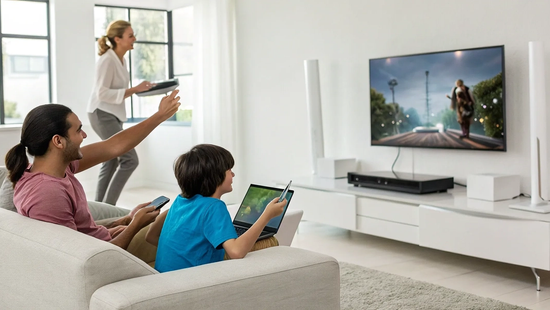
Let’s be honest: upgrading your internet is an investment, and you want to know if it’s worth it. While a 1 Gig plan might seem like overkill, for many modern households, it’s becoming essential. The real value isn't just about doing one thing faster; it's about doing everything at once without compromise. If you’re a remote worker, a serious gamer, a content creator, or part of a family with multiple streamers, this level of speed is a game-changer. We’ll explore who truly benefits from the power of 1 gig internet in mbps and how it provides a frustration-free experience.
Key Takeaways
- Think Capacity, Not Just Speed: A 1 Gig connection provides enough bandwidth for everyone in your home to stream, game, and work simultaneously without slowdowns, effectively eliminating digital traffic jams for good.
- Your Gear is Key to Gigabit Speeds: To get the performance you're paying for, you need a modern router (Wi-Fi 6 is best) and up-to-date devices. For a true speed test, always use a wired Ethernet connection directly to your computer.
- Prioritize Symmetrical Speeds for a Better Experience: Fiber internet offers upload speeds that match your download speeds. This is essential for flawless video calls, competitive online gaming, and uploading large files without long waits.
What Does "1 Gig Internet" Actually Mean?
You’ve probably seen "1 Gig internet" advertised as the gold standard for home internet, but what does that term actually mean for your day-to-day streaming, gaming, and work? Simply put, 1 Gig internet is a super-fast connection that can move 1,000 megabits of data every second. Think of it like upgrading from a two-lane country road to a ten-lane superhighway—the amount of traffic (or data) that can flow at once increases dramatically, eliminating slowdowns and digital traffic jams for everyone in your home.
This measurement, also written as 1 Gigabit per second (Gbps), represents a huge leap in capacity and speed. With a true fiber connection, this speed isn't just for downloading movies or shows. You get symmetrical speeds, which means your upload speeds are just as fast as your downloads. This is a game-changer for crystal-clear video calls, uploading large files for work in seconds, and live-streaming your gameplay without a hitch. All that technical jargon boils down to one thing: a seamless, buffer-free online experience across all your devices, all at the same time. Our fiber internet plans are built to deliver that kind of performance directly to your home.
From Gigabits to Megabits: The Math
Let's quickly look at the numbers so you know exactly what you're getting. Internet speed is measured in bits per second, and the prefixes "mega" and "giga" tell you how many. It’s a lot like meters and kilometers, just for data.
A megabit (Mb) is one million bits. A gigabit (Gb) is one billion bits.
The key takeaway is simple: 1 Gbps is equal to 1,000 Mbps. So, when you sign up for 1 Gig internet, you're getting a connection capable of hitting 1,000 megabits per second. It’s the same speed, just expressed in a different unit. This makes it easier to talk about these incredibly high speeds without using huge numbers.
Why Speed Measurements Matter
Here’s a common point of confusion that’s important to clear up: the difference between a megabit (Mb) and a megabyte (MB). Notice the lowercase 'b' for bit and the uppercase 'B' for byte. They aren't interchangeable, and understanding the distinction helps you know if you're getting the speed you pay for.
Internet providers always advertise speeds in megabits per second (Mbps). However, when you download a file, your computer or apps like Steam often show the speed in megabytes per second (MBps). One byte is made up of eight bits. So, to see your speed in megabytes, you divide your megabit speed by eight. For a 1,000 Mbps connection, your maximum download speed will appear as 125 MBps. It’s the same speed, just measured differently.
How Fast Is 1 Gig Internet, Really?
Let's talk about what "fast" really means. When you hear "gigabit internet," it sounds impressive, but what does it translate to in your daily life? Gigabit internet, or "1 Gig" for short, is an ultra-high-speed service that delivers speeds up to 1 Gigabit per second (Gbps). To put that in perspective, that’s the same as 1,000 Megabits per second (Mbps). For most homes, this is a game-changer, capable of handling a ton of online activity all at once without breaking a sweat. It’s the kind of speed that moves as fast as you do, ensuring your connection is a tool, not a roadblock.
A Look at Common Internet Speeds
To understand the power of 1 Gig, it helps to know what your favorite activities actually require. For instance, streaming a movie in 4K on Netflix uses about 15 to 25 Mbps. If you’re an online gamer, most games need between 5 and 20 Mbps to run smoothly. These numbers seem small on their own, but they add up quickly. When you have someone streaming, someone gaming, and another person on a video call, your bandwidth gets divided. A 1 Gig connection provides more than enough speed for everyone in the house to do what they love online, simultaneously, without any frustrating buffering or lag.
Putting Gigabit Speed into Perspective
Think of your internet connection like a highway. Speed isn't just about how fast the cars (your data) are moving, but about the amount of data that can flow at once. A 1 Gig connection is like having a massive, multi-lane superhighway, allowing a huge volume of traffic to move smoothly. This means you can download a full HD movie in just a few minutes instead of an hour. It’s the difference between waiting for a software update and having it done in seconds. With a reliable fiber connection, you get the full benefit of these speeds, making everything from video calls to file sharing feel instant.
What Can You Do With 1 Gig Internet?
So, what does having 1 Gig internet actually look like in your daily life? It’s more than just a number on a plan—it’s the power to do everything you love online, all at once, without any frustrating interruptions. Think of it as upgrading from a single-lane country road to a multi-lane superhighway for your data, where every device gets its own express lane. In a world where our homes are also our offices, classrooms, and movie theaters, a standard internet connection can quickly become a digital traffic jam. A gigabit connection eliminates that congestion entirely. It’s built to handle the intense demands of a modern household, where multiple people are simultaneously streaming in 4K, joining video calls, competing in online games, and connecting dozens of smart devices. This isn't just about doing one thing faster; it's about doing everything at the same time without compromise. From flawless movie marathons and lag-free gaming to running a business from your home office, a gigabit connection transforms your online experience from "just getting by" to "effortlessly seamless." Here’s a closer look at what that means for you and your family.
Stream Flawlessly on Every Screen
Picture this: it’s movie night. You’re streaming the latest blockbuster in 4K in the living room, the kids are watching their favorite shows on a tablet, and your partner is catching up on a series on their laptop. With a slower connection, this would be a recipe for a buffering nightmare. But with 1 Gig internet, everyone can stream in stunning high-definition quality without a single stutter. This massive bandwidth ensures that you can enjoy crystal-clear video on multiple screens simultaneously. You’ll never have to schedule your streaming or sacrifice video quality again, even when the whole household is online. It’s the freedom to watch what you want, when you want, on any device.
Game and Compete Without Lag
For gamers, a split-second can be the difference between victory and defeat. Lag is the ultimate enemy, and 1 Gig fiber internet is your secret weapon against it. The ultra-low latency of a fiber connection means your commands are registered almost instantly, giving you a serious competitive edge. Plus, the massive bandwidth allows you to download huge game files and updates in minutes, not hours. If you have multiple gamers in the house or you like to stream your gameplay to platforms like Twitch while playing, a gigabit connection ensures your game stays smooth and your broadcast remains crisp. Say goodbye to frustrating lag spikes and hello to a seamless gaming experience.
Run a Seamless Work-From-Home Office
Working from home demands a connection that’s as reliable and professional as you are. With 1 Gig internet, your home office runs like a well-oiled machine. Video conferences on Zoom or Teams are consistently clear and stable, so you never have to worry about freezing mid-sentence. You can download massive project files from the cloud in seconds and upload your work just as quickly, keeping your workflow moving without any internet-related bottlenecks. A gigabit connection provides the stability and speed you need to collaborate effectively with your team and stay productive, making it an essential tool for any serious remote professional.
Power Your Entire Smart Home
Your smart home is only as smart as the network it runs on. From security cameras and video doorbells to smart speakers, thermostats, and lights, every connected device needs a slice of your internet bandwidth. A standard connection can get congested quickly, causing some devices to become slow or unresponsive. 1 Gig internet provides more than enough capacity to handle dozens of smart home gadgets running at the same time. This means your security cameras will always stream smooth video, your smart assistant will respond instantly, and your lights will never fail to turn on, all while you’re still streaming, gaming, and working without a hitch.
Create and Upload Content in a Flash
If you’re a content creator, photographer, or anyone who works with large digital files, you know that upload speed is just as important as download speed. Waiting hours for a high-resolution video to upload to YouTube or a gallery of photos to send to a client can kill your momentum. This is where fiber internet truly shines. With symmetrical speeds, like the ones offered by Novos Fiber, your 1 Gig upload speed is just as fast as your download. You can upload massive files in a matter of minutes, not hours. This incredible speed lets you share your work with the world faster and spend more time creating.
What Can Slow Down Your Gigabit Connection?
So, you've signed up for blazing-fast 1 Gig internet, but your speed test isn't quite hitting that 1,000 Mbps mark. What gives? Before you start troubleshooting, it's helpful to know that your real-world speed is influenced by a few different factors. Think of your internet connection like a highway. Novos Fiber provides a wide, clear, multi-lane superhighway to your home, but sometimes there can be a bit of traffic at your destination or a slowdown on the off-ramp inside your house. Understanding these potential bottlenecks is the first step to getting the most out of your connection. From the time of day to the gear you're using, let's look at what can affect the speeds you actually experience.
Peak Hours and Network Traffic
You’ve probably heard of "internet rush hour"—those peak times in the evening when everyone is streaming, gaming, and browsing. With older cable internet technology, this could cause major slowdowns because you were sharing bandwidth with your neighbors. One of the biggest advantages of a fiber connection from a provider built on trust is that you get a dedicated line to your home, so you don't have to worry about what everyone else on your street is doing. However, you might still notice fluctuations depending on the traffic to the specific websites or servers you're using. If a million people are trying to stream the same live event, that service's servers can get overloaded, which feels like slow internet on your end.
How Your Equipment Can Create Bottlenecks
Your internet plan is only as fast as the weakest link in your home network. An outdated router is one of the most common culprits for slow speeds. If your router isn't designed to handle gigabit speeds or doesn't support modern Wi-Fi standards (like Wi-Fi 6), it simply can't pass along the full speed you're paying for. The same goes for your devices; an older laptop or smartphone may not have the hardware to process those ultra-fast speeds. When you sign up for one of our internet plans, we make sure you have the right equipment to get the performance you expect, taking the guesswork out of the equation.
The Difference Between Wi-Fi and a Wired Connection
For the absolute best performance, nothing beats a direct, wired connection. Plugging your computer or gaming console directly into the router with an Ethernet cable provides the fastest and most stable link. Wi-Fi is incredibly convenient, but the signal travels through the air and can be weakened by physical obstacles like walls, furniture, and even interference from other household appliances. The farther you are from your router, the weaker the signal becomes. If you're running a speed test or have questions about getting the best performance, our support team is always here to help. For everyday browsing on your phone or tablet, Wi-Fi is more than capable of delivering a great experience.
What Gear Do You Need for 1 Gig Internet?
Signing up for 1 Gig internet is the first step, but to actually experience those incredible speeds, your home setup needs to be ready. Think of it like buying a sports car—you can't enjoy its full power if you're stuck on a dirt road. Your internet connection is only as fast as its weakest link, and that could be your router, your laptop, or even the cables you're using. Getting your gear in order ensures you get every megabit you're paying for.
With a fiber connection from Novos Fiber, you don't have to worry about finding a compatible modem like you would with cable internet. We handle the technical side with a professional installation that includes an Optical Network Terminal (ONT). This device is what brings our fiber connection into your home. From there, your main focus will be on your Wi-Fi router, the devices you connect to it, and how you connect them. Let's walk through the key pieces of equipment to check so you can make sure your home network is fully prepared for blazing-fast service. A few simple checks can make the difference between a good connection and a truly gigabit-speed experience.
Choosing the Right Modem and Router
The router is the heart of your home network, directing internet traffic to all your devices. To handle gigabit speeds, you need a router with a Gigabit Ethernet WAN port—this is the port where the internet comes in. Most modern routers have this, but it's worth checking if you're using an older model. For the best wireless performance, look for a router that supports the Wi-Fi 6 (802.11ax) standard. Wi-Fi 6 is designed to deliver faster speeds and handle many devices at once without slowing down, which is perfect for a busy, connected home. If your current router is a few years old, an upgrade could make a world of difference.
Making Sure Your Devices Can Keep Up
Your internet plan can deliver a gigabit of speed to your router, but your personal devices also need to be able to receive it. A brand-new connection paired with a ten-year-old laptop will result in, well, ten-year-old speeds. The good news is that most smartphones, laptops, and smart TVs made in the last few years are built to handle high speeds, especially if they are Wi-Fi 6 compatible. If you notice one specific device is slow while others are fast, its internal hardware might be the bottleneck. You can usually find the Wi-Fi capabilities in your device’s network settings or product manual to see what it can handle.
Why Your Ethernet Cable Matters
While Wi-Fi is convenient, nothing beats a wired connection for raw speed and stability. If you want to see speeds close to 1,000 Mbps on a speed test, plug your computer directly into the router using an Ethernet cable. However, not all cables are created equal. Make sure you're using a Cat5e or, even better, a Cat6 cable. Older Cat5 cables top out at 100 Mbps, which will severely limit your gigabit connection. This is especially important for stationary devices where speed is critical, like a gaming console, a desktop computer, or a streaming box for your main TV. If you ever need help troubleshooting your setup, our local support team is always here to help.
How Many Devices Can 1 Gig Internet Handle?
The short answer? A lot. A 1 Gig internet connection can comfortably support dozens of devices at the same time. But the more important question isn't just how many devices, but what those devices are doing. Think about everything connected to your Wi-Fi right now: smartphones, laptops, smart TVs, gaming consoles, security cameras, smart speakers, and even your thermostat. Each one uses a slice of your internet bandwidth.
A 1 Gig plan is specifically designed for the modern, connected home where multiple high-demand activities happen at once. It provides enough bandwidth for you to stream a 4K movie in the living room, your partner to take a video call in the office, and your kids to game online in their rooms—all without anyone experiencing frustrating lag or buffering. This is where a true fiber connection makes all the difference. It delivers the consistent speed and capacity needed to keep a busy household running smoothly, ensuring that adding one more device doesn't bring your entire network to a crawl.
Dividing Bandwidth in a Busy Home
Think of your internet bandwidth like a highway. A slower plan is like a single-lane country road—it works fine for one or two cars, but it gets congested quickly. A 1 Gig connection, on the other hand, is a massive, multi-lane superhighway. With 1,000 Mbps of total bandwidth to share, there’s plenty of room for everyone’s data to travel at top speed.
Each device and activity in your home uses a "lane" on this highway. Streaming a 4K movie might take up a couple of lanes, while scrolling on your phone only uses one. With a gigabit connection, you have so many lanes available that you can avoid the digital traffic jams that cause slowdowns. Our high-speed plans are built to give your family that wide-open road, so everyone can get where they’re going online without interruption.
Scenarios for Multiple Users and Devices
Let’s put this into a real-world perspective. Imagine it’s a typical weeknight in your home. You’re streaming a new series in 4K (using about 25 Mbps), someone else is on an important work video call (about 5 Mbps), and one of the kids is in a competitive online game (around 10 Mbps). At the same time, your smart home devices, like cameras and speakers, are running in the background.
All of that simultaneous activity might add up to 50-60 Mbps. On a 1 Gig (1,000 Mbps) connection, you’re using less than 10% of your total available bandwidth. This leaves a massive cushion of over 900 Mbps for other devices, large file downloads, or future technology. You can see how much bandwidth different activities use to understand just how much power a gigabit connection gives you.
Debunking Common Gigabit Internet Myths
Gigabit internet is a game-changer, but with all the hype, a few myths and misconceptions have popped up. It's easy to get tangled in the technical details, but understanding what's really going on with your connection can help you get the most out of your service. Let's clear up some of the most common questions so you can see the real picture of what gigabit speed means for your home.
Expectation vs. Reality on Speed Tests
So, you’ve just gotten your 1 Gig internet set up, and the first thing you do is run a speed test. The result comes back at 940 Mbps. It’s natural to wonder, "Where did the other 60 Mbps go?" Don't worry, your connection isn't broken. This is completely normal. A small portion of your bandwidth, called "network overhead," is used to manage the data being sent and received. Think of it as the digital envelope carrying your data—it takes up a tiny bit of space. Seeing a result in the 900s means you're getting the full power of your gigabit plan. For tips on getting the most accurate results, you can find helpful guides on our support page.
Understanding Upload vs. Download Speeds
You’ve probably heard "download speed" mentioned most often—it’s what affects how quickly you can stream movies or load websites. But upload speed is just as important, especially now. It determines how fast you can send information out, like during a video call, while gaming, or when uploading large files to the cloud. Many internet types, like cable, have asymmetrical speeds, meaning your upload is much slower than your download. With a fiber connection, you get symmetrical speeds. This means your upload speed matches your download speed, giving you a smooth, buffer-free experience whether you're presenting on a Zoom call or livestreaming your gameplay. All of our Novos Fiber plans are built to deliver this two-way performance.
Why Not All Devices Can Handle Gig Speeds
If you've upgraded to gigabit internet but your old laptop still feels sluggish, the issue might be the device itself, not your connection. Your internet speed is only as fast as the weakest link in your setup. To truly experience gigabit speeds, every piece of your equipment needs to be up to the task. This includes having a modern router (preferably one that supports Wi-Fi 6) and devices with network cards capable of processing those speeds. An older smartphone or laptop might top out at a few hundred Mbps. For the fastest possible connection, try plugging your computer directly into the router with an Ethernet cable—it’s the best way to ensure you’re getting every bit of speed you’re paying for.
Is 1 Gig Internet the Right Choice for You?
Deciding on the right internet speed feels like a big commitment, but it really comes down to how your household uses the web. A 1 Gig plan is a powerful tool, and figuring out if it’s the right one for you is all about matching its capabilities to your daily needs.
Weighing the Cost vs. the Benefit
Let's be honest: a gigabit plan is an upgrade, and it’s smart to think about whether the extra cost is worth it. The real benefit of 1 Gig internet isn’t just about speed—it’s about capacity. Think of it as adding more lanes to a highway. It eliminates traffic jams, which means no more buffering during movie night, no lag in the middle of a game, and no frozen faces on your video calls. For large households or homes where multiple people are streaming, gaming, and working at the same time, the value is clear. You can see how this fits into your budget by checking out our internet plans and deciding if a frustration-free connection is worth the investment.
Who Truly Needs Gigabit Speed?
While 1 Gig internet is impressive, not everyone needs it. If your online activity is mostly checking email, scrolling through social media, and streaming on one or two devices, you can likely get by with less. So, who is it for? Gigabit speeds are a game-changer for households with multiple, simultaneous heavy internet users. This includes families where kids are gaming online while parents are on work video calls, homes with several 4K TVs streaming at once, or content creators who need to upload massive video files without waiting for hours. If your internet connection constantly feels strained, 1 Gig is the solution.
How It Prepares You for the Future
Choosing an internet plan isn't just about meeting your needs today; it's about being ready for tomorrow. The number of connected devices in our homes—from smart speakers and security cameras to thermostats and TVs—is constantly growing. Each one takes a small piece of your bandwidth. Technologies like 8K streaming, cloud gaming, and virtual reality will demand even faster and more stable connections. By opting for 1 Gig fiber internet now, you’re setting up a foundation that can handle these future high-demand technologies without needing another upgrade in a year or two. It’s about making sure your home is ready for whatever comes next.
How to Check Your Real Internet Speed
You signed up for a super-fast internet plan, but how do you know you’re actually getting those speeds? The number on your bill represents the speed delivered to your home, but factors like your router, devices, and even the time of day can affect the performance you experience. Running a speed test is a great way to get a snapshot of your connection’s health. But to get a truly accurate reading, you have to do it the right way. Think of it as taking your internet’s blood pressure—you need the right conditions for a reliable result.
The Right Way to Run a Speed Test
Running a speed test is easy, but getting an accurate one takes a few extra steps. You can use a variety of free online speed test tools to measure your download and upload speeds, but don’t just click “Go” on your phone from the couch. For the most precise measurement, plug your computer directly into your router using an Ethernet cable. Wi-Fi speeds can fluctuate due to distance, physical obstacles like walls, and interference from other devices, so a wired connection gives you the clearest picture of the speed coming into your home. Before you start, close out any other applications, downloads, or streaming services that could be using bandwidth. Run the test a few times at different times of day—like morning, afternoon, and evening—to see how your connection performs during peak and off-peak hours.
What to Do If Your Connection Seems Slow
If your speed test results are consistently lower than what your plan promises, don’t panic. There are a few things you can check before assuming there’s a major issue. First, look at your hardware. Is your router and modem capable of handling gigabit speeds? An older router can act as a bottleneck, preventing you from enjoying the full speed of your connection. Check your router manufacturer’s website for any firmware updates, as these can improve performance and security. If your equipment is up to date, consider when you’re experiencing slowness. If it’s mainly during evening peak hours, it could be related to general network congestion. If you’ve checked your gear and the issue persists, it’s time to contact our support team. We can help troubleshoot and figure out what’s going on.
How to Choose the Best Gigabit Provider
Once you’ve decided that gigabit internet is right for you, the next step is picking a provider. But not all gigabit plans are built the same. The technology delivering that speed to your door, the equipment in your home, and the fine print on your contract can make a huge difference in your day-to-day experience. Choosing the right provider isn’t just about finding the fastest speed on paper; it’s about ensuring that speed translates into a reliable, seamless connection for everything you do online. Before you commit, it’s important to look under the hood and ask a few key questions to make sure you’re getting the best possible service for your home or business.
Fiber vs. Cable: Why It Makes a Difference
The biggest factor in your internet experience is the technology behind it. While both fiber and cable can offer gigabit download speeds, how they handle uploads is a different story. Cable internet usually has much slower upload speeds, which can be a bottleneck for video calls, online gaming, or sending large files for work. Fiber internet, on the other hand, delivers symmetrical speeds, meaning your upload speed is just as fast as your download speed. This creates a smoother, more responsive connection for two-way activities. Because fiber provides the best connectivity, it’s a more reliable and future-proof choice for homes that depend on the internet for work, school, and entertainment.
Key Questions to Ask Before You Sign Up
Before signing on the dotted line, make sure you have the full picture. First, ask about equipment. To get the most out of a gigabit plan, you need the right equipment, including a modern router that can handle those speeds, preferably one with Wi-Fi 6. Ask if the provider includes compatible hardware or if you’ll need to supply your own. You should also consider if you’re experiencing issues like frequent buffering, lag during online games, or poor video call quality, as these are signs an upgrade is necessary. Finally, don’t forget to ask about the details: Are there data caps? What will the price be after the promotional period ends? Is customer support local? Getting clear answers will help you find a provider you can trust.
Related Articles
Frequently Asked Questions
My speed test shows around 940 Mbps. Am I getting the full speed? Yes, you are! Seeing a result in the mid-900s on a wired connection is perfectly normal and means your gigabit plan is working exactly as it should. A small amount of your bandwidth is used for what’s called “network overhead”—think of it as the digital packaging that ensures your data gets to the right place safely. This overhead uses a tiny fraction of your speed, so a result of 940 Mbps means you're getting the full power of your 1 Gig connection.
Why isn't my Wi-Fi speed hitting 1,000 Mbps? Wi-Fi is incredibly convenient, but it will almost never be as fast as a direct, wired connection. The signal has to travel through the air, and things like walls, furniture, and even distance from your router can weaken it. For the most accurate measure of the speed coming into your home, you should always plug your computer directly into the router with an Ethernet cable. A modern Wi-Fi 6 router will still give you fantastic wireless speeds, but for true gigabit performance on a single device, a physical connection is always best.
Is 1 Gig internet overkill if I live alone? It really depends on what you do online. If you’re a content creator who uploads large video files, a competitive gamer who needs the lowest possible latency, or someone who runs a business from home with constant video calls and cloud backups, a 1 Gig plan can be a lifesaver. However, if your internet use is mostly streaming shows, browsing websites, and checking email, you might be perfectly happy with a plan like our 500 Mbps service. The beauty of 1 Gig is its massive capacity, which is most noticeable when many high-demand activities are happening at once.
What's more important for gaming: speed or something else? This is a great question. While high speed is important for downloading games quickly, the real key to a smooth gaming experience is low latency, often called "ping." Latency is the delay between you pressing a button and the server registering that action. Fiber internet has incredibly low latency, which gives you a significant competitive advantage by making your gameplay feel more responsive. A 1 Gig fiber connection gives you both the raw speed and the low ping you need to compete at your best.
Will I need to buy a bunch of new equipment to use 1 Gig internet? Not necessarily, but your gear does play a big role. To get the most out of your connection, you'll need a router that can handle gigabit speeds, preferably one that supports the Wi-Fi 6 standard for the best wireless performance. Your personal devices, like your laptop or smartphone, also need to have modern hardware to process those speeds. The good news is that most devices made in the last few years are up to the task. When you sign up with us, we make sure you have the right equipment to get started.


