
 Log in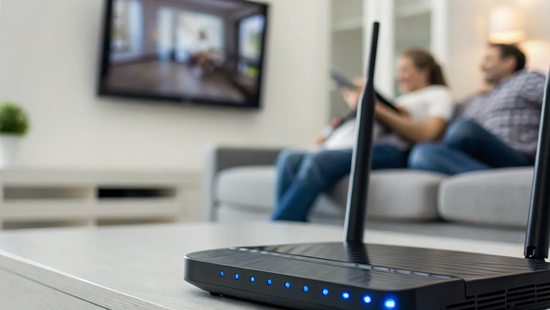
So you signed up for 1 gig internet, ran a speed test, and the result wasn't the perfect 1,000 Mbps you expected. It’s a common experience, and it doesn't mean your connection is broken. The truth is, several factors—from your router's age to the type of cable you're using—can affect your final speeds. We're going to clear up the confusion around what influences your 1 gig internet download speed. We’ll walk through the difference between Wi-Fi and a wired connection, common setup mistakes, and simple fixes you can make to ensure you’re getting the performance you’re paying for.
Key Takeaways
- Don't Mistake Megabits for Megabytes: Internet speed is measured in megabits per second (Mbps), while file downloads are often shown in megabytes per second (MB/s). Your 1,000 Mbps plan translates to a maximum download speed of 125 MB/s, so your connection is much faster than it might appear.
- Your Hardware Can Create a Bottleneck: To get the full speed you're paying for, your gear needs to keep up. Use a modern router (Wi-Fi 5 or 6) and connect stationary devices like gaming consoles or work computers directly with a Cat 6 Ethernet cable for the most stable connection.
- Gigabit Is Best for Busy Households: This speed is built for homes where multiple people are streaming in 4K, gaming competitively, and working from home all at once. It eliminates slowdowns and ensures everyone has a seamless online experience without fighting over bandwidth.
What is 1 Gig Internet, Really?
You’ve probably seen “1 gig internet” advertised everywhere, but what does that term actually mean for your day-to-day life? It sounds fast, but how fast is it really? When you're choosing an internet plan, especially a high-performance fiber option, you want to know exactly what you're paying for. Let's break down what a gigabit connection is, clear up some common confusion around the terminology, and explain why your download speeds might look different than you expect. Understanding these details will help you see just how powerful a 1 gig connection from Novos Fiber can be for your home or business.
Breaking Down Gigabit Speed
Think of gigabit speed as the superhighway of the internet. A “gig” is short for gigabit, and a 1 gig internet plan delivers speeds up to 1,000 megabits per second (Mbps). With that kind of bandwidth, your entire household can be online at once without any frustrating slowdowns. This means you can stream 4K movies on multiple TVs, download massive video game files in minutes, and join video calls with crystal-clear quality. It’s the kind of speed that handles everything you throw at it, from running a business from home to keeping a family of streamers and gamers happy.
1 Gbps vs. 1,000 Mbps: Are They the Same?
You might see gigabit internet advertised as “1 Gbps” or “1,000 Mbps.” It can be a little confusing, but the good news is they mean the exact same thing. “Gbps” stands for gigabits per second. Since one gigabit is equal to 1,000 megabits, these terms are used interchangeably to describe the same lightning-fast connection. It’s just like saying something is a dozen or 12—two different ways to talk about the same number. So, when you see either term, you know you're looking at a top-tier internet speed that can handle serious digital demands.
Megabits vs. Megabytes: Why Your Downloads Seem Slower
Here’s a common scenario: you have 1 gig internet, but when you download a game on Steam, the speed shows something like 110 MB/s. It feels slow, right? This is all due to the difference between megabits (Mb) and megabytes (MB). Internet speeds are measured in megabits per second (Mbps), but file sizes and download progress are usually shown in megabytes per second (MB/s). There are 8 megabits in 1 megabyte. So, a 1,000 Mbps connection has a maximum theoretical download speed of 125 MB/s. This distinction between megabits and megabytes is key—your connection isn't slow, the units of measurement are just different.
What Can You Do With 1 Gig Internet?
So, we've talked about the numbers, but what does 1 gig internet actually feel like? It’s less about the technical specs and more about what it lets you do without a second thought. Think of it as the difference between a winding country road and a wide-open highway. With a gigabit connection, you’re not just getting from point A to point B faster; you’re opening up a world of possibilities for your entire household. It’s about everyone being able to do their own thing online—at the same time—without any arguments over who’s hogging the bandwidth.
From streaming movies in stunning 4K to competing in online games without a hint of lag, a 1 gig connection handles it all effortlessly. For those of us working from home, it means crystal-clear video calls and instant file transfers, making your home office just as efficient as a corporate one. It’s the kind of speed that keeps up with your life, whether you’re a busy family, a serious gamer, a content creator, or all of the above. With high-speed fiber internet, you stop waiting for your internet and it starts waiting for you. Let's look at what that really means for your day-to-day.
Download and Upload Files Instantly
Remember waiting forever for a big file to download? With 1 gig internet, that’s a thing of the past. We’re talking about downloading a full-length HD movie in less than a minute. That huge work presentation you need to send over? It can be uploaded in just a few seconds. This speed isn’t just a convenience; it’s a game-changer for productivity and entertainment. You get to spend more time enjoying your content and less time staring at a progress bar. It’s the kind of efficiency that makes managing your digital life feel effortless.
Stream in 4K on Every Device—Without Buffering
Movie night just got a major upgrade. With a gigabit connection, you can stream your favorite shows and movies in brilliant 4K or even 8K resolution without that dreaded buffering wheel. And the best part? It’s not just for one screen. Someone can be watching a blockbuster in the living room, the kids can be on their tablets in their rooms, and you can be following a cooking tutorial in the kitchen—all at the same time, all in ultra-high definition. Your internet won’t even break a sweat. It’s the seamless, high-quality streaming experience your whole family deserves.
Enjoy Lag-Free Gaming and Faster Updates
For gamers, a fast connection is non-negotiable, and 1 gig internet delivers. The biggest advantage is the dramatic reduction in lag. Lower latency means your in-game actions are more responsive, giving you a critical competitive edge. Beyond gameplay, you can say goodbye to long waits for game downloads and updates. Those massive new releases or patches that used to take hours will now be ready in minutes. You’ll spend less time waiting and more time playing, which is exactly how it should be.
Run a Seamless Home Office
Working from home requires an internet connection that’s as reliable as you are. A 1 gig plan is perfect for creating a professional and frustration-free home office. You can join video calls with confidence, knowing your connection will be stable and clear. Uploading and downloading large work files or collaborating on cloud documents happens in an instant, keeping your workflow smooth. Even if the rest of the family is online, your connection remains solid, ensuring you can meet deadlines and stay productive without any internet-related stress.
Back Up Your Data in a Flash
We all have precious digital files, from family photos to important documents. Backing them up is crucial, but it can be a slow process on a lesser connection. With 1 gig internet, you can back up your entire computer to the cloud in a fraction of the time. This speed makes it easy to sync large video files, photo libraries, and project folders without disrupting your workflow. Regular, fast backups give you peace of mind, knowing your important data is safe and secure without you having to plan your day around it.
How 1 Gig Compares to Other Speeds
Choosing the right internet speed can feel like a guessing game, but it really comes down to how your household uses the internet. While 1 Gig is the gold standard for performance, it’s helpful to see how it stacks up against other common plans to find the perfect fit for your home. Let's break down the differences so you can decide what you truly need.
100 Mbps vs. 1 Gig: What's the Difference?
To put it simply, 1 gigabit is the same as 1,000 megabits per second (Mbps), making it 10 times faster than a 100 Mbps plan. While 100 Mbps is enough for one or two people to browse and stream in HD, it can feel sluggish when more devices join in. With a 1 Gig plan, that difference is massive. A large video game update that takes an hour on a 100 Mbps connection could be done in just a few minutes. It’s the difference between waiting for things to load and having them appear instantly.
500 Mbps vs. 1 Gig: Is It Time to Upgrade?
A 500 Mbps connection is already incredibly fast and serves most families very well, easily handling multiple 4K streams and online gaming. So, why upgrade to 1 Gig? Think of it as going from a fast highway to a completely open road. A 1 Gig plan is for the ultimate power users—households where you might have a professional uploading huge video files for work, a serious gamer needing the lowest latency, and multiple people streaming 4K movies at once. It eliminates bottlenecks, ensuring your connection never slows you down.
Do You Actually Need Gigabit Internet?
Here’s the honest answer: not everyone does. For many homes, a 300 Mbps or 500 Mbps plan provides more than enough speed for a fantastic online experience. If you live alone and your internet use is mostly browsing, email, and streaming on one or two devices, 1 Gig is probably overkill. Gigabit internet is most useful for large households with many people doing demanding things at once. If your home is full of competitive gamers, content creators, or tech enthusiasts with dozens of smart devices, then a 1 Gig connection will make a world of difference.
What Really Affects Your Internet Speed?
Signing up for a 1 Gig internet plan is the first step to incredible speed, but it’s not a magic wand. Several factors can influence the actual speeds you experience on your devices. Think of it like having a sports car—if you’re stuck in traffic or driving on a bumpy road, you won’t be able to hit top speed. The same principle applies to your internet connection. From the time of day to the hardware in your home, understanding these variables is key to making sure you get the performance you’re paying for. Let’s walk through the most common culprits that can slow you down and what you can do about them.
Why Your Connection Slows Down During Peak Hours
Have you ever noticed your internet seems a bit sluggish in the evening? That’s likely due to network congestion. It’s the digital version of rush-hour traffic: when everyone in your area is online at the same time—streaming, gaming, and video calling—it can put a strain on the network, leading to slower speeds for everyone. While fiber optic networks like ours are built to handle massive amounts of data, widespread internet connectivity issues can still occur. The good news is that fiber is far more resilient to local congestion than older cable internet, so these slowdowns are less frequent and less severe.
Wi-Fi vs. A Wired Connection: Which is Better?
Wi-Fi is incredibly convenient, but it’s not always the fastest way to connect. For pure, unadulterated speed, nothing beats a direct, wired Ethernet connection. Plugging your device directly into your router with an Ethernet cable (like a Cat5e or Cat6) bypasses any potential wireless interference and delivers a more stable, consistent signal. This can get you much closer to the true gigabit speeds your plan offers. For stationary devices that demand a lot of bandwidth—like your gaming console, work computer, or smart TV—going wired is always the best choice for peak performance. Save the Wi-Fi for your phone, tablet, and other mobile devices.
Is Your Router Holding You Back?
Your router is the heart of your home network, and if it’s old or outdated, it can be a major bottleneck for your internet speed. To handle gigabit speeds, you need a router that’s up to the task. Look for a model that’s labeled as a "Gigabit WiFi router" and supports the 802.11ac (Wi-Fi 5) standard or, even better, 802.11ax (Wi-Fi 6). An older router simply can’t process the data fast enough, no matter how speedy your internet plan is. If you’re paying for 1 Gig service but your speed tests are falling short over Wi-Fi, your router is the first piece of equipment you should investigate.
Common Setup Mistakes and How to Fix Them
Sometimes, the simplest things can trip up your connection. Before you get too deep into troubleshooting, do a quick physical check of your setup. It might sound obvious, but you’d be surprised how often loose connections are the source of a problem. Make sure all cables are plugged in securely to your modem, router, and devices. Another common mistake is router placement. Tucking it away in a cabinet, basement, or behind a TV can weaken the Wi-Fi signal. For the best coverage, place your router in a central, open area of your home, away from walls and other electronics.
The Speed Factors You Can't Control
It’s important to know that some speed factors are simply out of your hands. The server of the website you’re visiting might be slow, or there could be broader network issues happening far away from your home. Things like equipment failures or other ISP issues can also affect performance. At Novos Fiber, we pride ourselves on maintaining a robust and reliable network to minimize these disruptions. But if you’ve checked your hardware and still feel like something is off, our local support team is always here to help you figure it out.
How to Get the Most From Your 1 Gig Connection
Signing up for 1 Gig internet is the first step to incredible speed, but a few simple tweaks to your home setup can make sure you’re getting every bit of performance you’re paying for. Think of it like buying a sports car—you still need the right tires and a clear road to truly open it up. Let’s walk through how to fine-tune your network so you can experience fiber internet at its full potential.
Get the Right Gear for Gigabit Speeds
Your internet connection is only as fast as its weakest link. If you’re using outdated hardware, you’re putting a speed limit on your gigabit connection. First, check your router. You’ll want a model that supports Gigabit speeds, often labeled as "802.11ac" or newer standards like "Wi-Fi 6" (802.11ax). For wired connections, which always give you the best performance, the cable itself matters. Make sure you’re using at least a "Category 6" (Cat 6) Ethernet cable. Older Cat 5 cables simply can't handle gigabit speeds, so swapping one out is an easy and affordable fix for a slow wired connection.
Optimize Your Home Network Setup
How your internet gets to your home plays a huge role in its performance. With a fiber-optic connection, you get what’s known as "symmetrical speeds." This means your upload speed is just as fast as your download speed. So while you’re downloading a huge game file in minutes, someone else in the house can be on a crystal-clear video call without any stuttering. This is a game-changer for anyone working from home, creating content, or live-streaming. To get the most out of it, connect your most important devices, like your work computer or gaming console, directly to the router with an Ethernet cable for the most stable and speedy connection.
Find the Perfect Spot for Your Router
Where you place your Wi-Fi router can make a world of difference for your wireless speeds. Don't hide it in a closet or tuck it away in a corner of the basement. For the best signal throughout your home, place your router in a central, elevated location. Think of the Wi-Fi signal as a lightbulb—you want it to shine over the largest possible area. Avoid placing it near thick walls, large metal objects (like a refrigerator), or other electronics that can cause interference, such as microwaves or cordless phones. A few feet of relocation can often solve frustrating dead zones and slow spots.
Debunking Myths That Slow You Down
It’s important to have realistic expectations for your speed. Even with a perfect setup, you’ll rarely see a speed test hit exactly 1,000 Mbps. That’s because a small portion of your bandwidth, usually around 10-25%, is used for things like network protocols and error-checking that keep your connection stable and safe. It’s also a common myth that a faster internet plan will fix every issue. If you’re experiencing lag in an online game, for instance, the problem might be with the game’s server, not your internet connection. Understanding these factors helps you pinpoint the real source of any slowdowns.
A Quick Guide to Troubleshooting Your Speed
If your speeds seem slower than expected, there are a few things you can check before calling for help. First, make sure the server you're downloading from can actually send data at 1 Gbps—not all of them can. Next, double-check your cables to ensure you’re using a Cat5e or, ideally, a Cat6 Ethernet cable. Sometimes, the simplest solution is the most effective: try restarting your router. If you’ve tried these steps and are still having issues, our local team is always here to help. You can find more tips and get in touch with us through our support page.
Related Articles
Frequently Asked Questions
Why does my speed test never show exactly 1,000 Mbps? It's completely normal not to see a speed test hit the 1,000 Mbps mark perfectly. A small portion of your bandwidth is always reserved for data that keeps your connection stable and secure, like network protocols and error-checking. Think of it as the operational cost of running a smooth connection. Seeing speeds in the 900s is a great result and shows you're getting the powerful performance of a gigabit plan.
My internet plan is 1,000 Mbps, but my game downloads are only around 110-120 MB/s. Is something wrong? This is a super common point of confusion, but don't worry—your connection isn't slow! Internet speeds are sold in megabits per second (Mbps), but most download platforms measure file sizes in megabytes per second (MB/s). Since there are eight megabits in one megabyte, your 1,000 Mbps connection has a maximum theoretical download speed of 125 MB/s. You're simply seeing the speed displayed in a different unit of measurement.
Is 1 Gig internet overkill if I live alone or with just one other person? Honestly, it might be. If your online activity is mostly browsing, sending emails, and streaming on one or two devices, a 500 Mbps plan is likely more than enough to give you a fantastic experience. A 1 Gig plan is really for power users—think large families, serious gamers, content creators uploading huge files, or anyone running a home with dozens of smart devices who wants to ensure speed is never, ever a concern.
What's the easiest way to get the fastest possible speed from my 1 Gig plan? For pure, top-tier speed, nothing beats a wired connection. Plug your most important devices, like your work computer, gaming console, or smart TV, directly into your router using a modern Ethernet cable (look for one labeled Cat6). This simple step bypasses any potential Wi-Fi interference and gives you the most stable and direct pipeline to your internet's full power.
Do I need to buy a new router to use 1 Gig internet? Your router plays a huge role, and an older model can definitely hold your connection back. To take full advantage of gigabit speeds, you need a router that can handle them. You should use a model that supports at least the Wi-Fi 5 (802.11ac) standard, though a newer Wi-Fi 6 (802.11ax) router will give you the best wireless performance and coverage. An outdated router simply can't process data fast enough, no matter how fast your plan is.


