Log in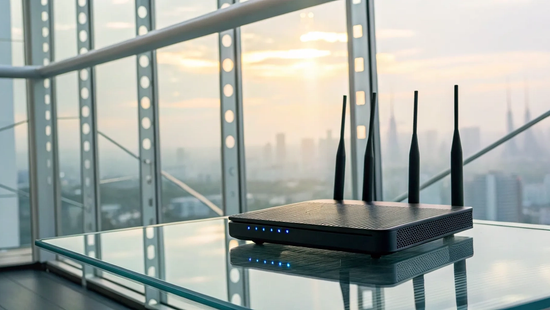
Nothing is more frustrating than a spinning buffer wheel during a movie finale or a lag spike in the middle of a game. Often, the problem isn’t just your internet plan; it’s how that speed is delivered to your devices. This is where WiFi 5 comes in. As a wireless standard, it was a huge leap forward in handling the demands of a busy home. It introduced technologies specifically designed to reduce congestion and focus the signal where you need it most. For many families, a solid internet WiFi 5 router is the key to turning a spotty connection into a seamless one.
Key Takeaways
- WiFi 5 is still a great choice for most homes: It introduced key technologies that handle modern internet demands like streaming, gaming, and remote work. For many households, it provides more than enough speed and reliability without needing the latest upgrade.
- Your devices matter as much as your router: To get the full speed of WiFi 5, both your router and your gadgets (like your phone and laptop) need to support it. An older device connected to a new router will still operate at its own slower speed, creating a bottleneck for your connection.
- Optimize your setup for better performance: You can get more out of your current WiFi 5 network with a few simple adjustments. Placing your router in a central, open location and manually connecting important devices to the 5 GHz band can significantly improve your signal strength and speed.
What Is WiFi 5?
If you've bought a router or a new laptop in the last decade, you've likely come across the term "WiFi 5." Think of it as the fifth generation of the wireless technology that connects our devices to the internet. Officially known as 802.11ac, it was the leading WiFi standard from 2013 until 2021, which means it's still incredibly common in homes and businesses today. While newer versions have come out, WiFi 5 was a huge leap forward, introducing technologies that made our connections faster and more reliable than ever before. It set the stage for the high-demand online world we live in, where streaming 4K movies and juggling multiple smart devices is the norm.
The Tech Behind the Speed
So, what makes WiFi 5 tick? A couple of key innovations are responsible for its performance. First, it was the first standard to widely use "MIMO" technology, which stands for Multiple-Input, Multiple-Output. This lets your router use multiple antennas to send and receive data at the same time. Imagine a checkout line with multiple cashiers instead of just one; it processes everything much faster and more efficiently. This technology is a big reason why you can get the most out of a high-speed fiber connection.
Additionally, WiFi 5 operates on the 5 GHz frequency band. Think of this as a wide, multi-lane highway compared to the older, more crowded 2.4 GHz band, which is more like a two-lane road. With more space and less traffic from other devices like microwaves and old cordless phones, your data has a clearer path, resulting in a faster, more stable connection.
How It Improved on Older WiFi
The jump from WiFi 4 to WiFi 5 was significant, bringing noticeable improvements to our daily internet use. The most obvious upgrade was speed. Everything from browsing websites to downloading files and streaming movies became much quicker. While theoretical speeds can reach up to 3.5 Gigabits per second (Gbps), a more realistic expectation in a good setup is around 430 Megabits per second (Mbps) or higher, which is a huge step up from its predecessor.
This new standard also delivered a more stable experience. By using the less-congested 5 GHz band, WiFi 5 experiences fewer interruptions from other household electronics. This means less buffering during your favorite show and a more consistent connection for video calls. We believe everyone deserves a dependable connection, which is why we are committed to building a reliable, local network for our Texas neighbors.
The Perks of WiFi 5
Even with newer standards available, WiFi 5 (also known as 802.11ac) remains a powerful and reliable choice for most households. It introduced several key technologies that dramatically improved how our devices connect to the internet. These upgrades are not just technical jargon; they translate into real-world benefits that you can feel, whether you're streaming a movie, taking a video call, or managing your smart home. When you pair a capable WiFi 5 router with a high-speed connection, like one of our fiber internet plans, you create a home network that can easily handle the demands of modern life. Let’s look at the three main advantages that made WiFi 5 a game-changer.
Faster Speeds with MU-MIMO
One of the biggest leaps forward with WiFi 5 was the introduction of MU-MIMO, which stands for "Multi-User, Multiple Input, Multiple Output." Before this, routers could only communicate with one device at a time, serving data in a round-robin fashion. This worked, but it could create bottlenecks in a busy home. MU-MIMO allows a router to talk to multiple devices simultaneously. Think of it as opening up several new checkout lanes at the grocery store. This technology significantly cuts down on wait times (latency) and keeps data flowing smoothly, which is perfect for households where multiple people are streaming, gaming, and browsing all at once.
Better Coverage with Beamforming
Ever notice your WiFi signal dropping as you move to a different room? WiFi 5 helps solve that problem with a clever technology called beamforming. Instead of broadcasting your WiFi signal equally in all directions like a bare lightbulb, beamforming allows the router to detect where your devices are and focus the signal directly toward them, like a spotlight. This targeted approach creates a stronger, more stable connection for each device. It also extends the effective range of your WiFi, helping to reduce dead zones and ensure you have reliable coverage throughout your home, from the living room couch to the back patio.
Less Interference on the 5 GHz Band
WiFi 5 primarily operates on the 5 GHz frequency band, which is like a wide-open highway compared to the more crowded 2.4 GHz band used by older standards. The 2.4 GHz band is shared with many other common household devices, including microwaves, baby monitors, and Bluetooth speakers, leading to a lot of signal interference. By using the less congested 5 GHz band, WiFi 5 provides a more stable and faster connection with fewer interruptions. This is especially helpful if you live in an apartment building or a dense neighborhood where dozens of competing WiFi networks can cause slowdowns. If you ever have trouble with your connection, our support team is always here to help.
How Does WiFi 5 Compare to Older Standards?
Trying to understand WiFi standards can feel like decoding a secret language. But when you compare WiFi 5 (also known as 802.11ac) to older versions, the benefits are easy to see. For a long time, WiFi 5 was the standard for a reason: it delivered a major performance upgrade that changed how we use the internet at home. The biggest improvement was its move to a less crowded digital space, allowing for faster speeds and a more stable connection. This made streaming, gaming, and working from home much smoother. Let's look at what makes it different and how it works with the devices you already have.
How WiFi 5 Outperforms WiFi 4
The biggest advantage WiFi 5 has over its predecessor, WiFi 4, is a major jump in speed. This upgrade makes everything from downloading files to streaming your favorite shows a much smoother experience. A key reason for this is that WiFi 5 operates primarily on the 5 GHz frequency band. Think of this as moving from a busy, two-lane road to a wide-open highway. The 5 GHz band is less congested compared to the 2.4 GHz band used by WiFi 4, meaning less interference from your neighbors' networks and other household electronics. This clean signal allows for speeds that are perfect for high-demand activities like 4K video streaming, competitive online gaming, and clear video calls.
Does It Work with Your Old Devices?
Worried you’ll have to replace all your gadgets to use a new router? You can relax. The great news is that WiFi 5 is backward compatible, which is a fancy way of saying it plays nicely with older devices. Your phone, laptop, or smart TV that uses WiFi 4 can connect to a WiFi 5 router without any issues. The only catch is that those older devices won't get the full speed benefits of WiFi 5; they'll connect at the maximum speed they were designed for. It ensures none of your tech gets left behind, giving you a reliable connection across all your devices, both old and new.
WiFi 5 vs. WiFi 6: Which Should You Choose?
When you’re setting up your home network, you’ll likely see routers labeled as WiFi 5 or WiFi 6. Think of these as different generations of WiFi technology. WiFi 6 is the newer standard, but that doesn’t automatically make WiFi 5 obsolete. The right choice for you depends on your devices, your daily internet habits, and your budget. Let's break down the key differences to help you decide.
Comparing Speed and Performance
The most significant difference between the two is speed. WiFi 6 is much faster, with a theoretical top speed of 9.6 Gbps compared to WiFi 5's 3.5 Gbps. While you’re unlikely to hit those maximum speeds in the real world, the upgrade is noticeable. WiFi 6 is also designed to handle network congestion more efficiently. If your home is full of phones, laptops, smart TVs, and gaming consoles all competing for bandwidth, WiFi 6 acts like a traffic cop, directing data to each device more effectively. This means a smoother experience for everyone, even when the whole family is online.
Security and Latency Improvements
Beyond speed, WiFi 6 brings some important behind-the-scenes upgrades. It uses a more advanced security protocol called WPA3, which offers stronger protection for your network against potential threats compared to the WPA2 standard commonly used with WiFi 5. For gamers or anyone who relies on quick response times for video calls, WiFi 6 also delivers lower latency. This means less lag between your action and the on-screen response. As a bonus, WiFi 6 technology can even help improve the battery life of your connected devices, as it communicates with them more efficiently.
Considering Cost and Device Availability
To take full advantage of WiFi 6, you need two things: a WiFi 6 router and devices that support it. Most new smartphones, laptops, and tablets are now built with WiFi 6 compatibility. However, if your gadgets are a few years old, they likely only support WiFi 5. In that case, buying a WiFi 6 router won't give you its full speed benefits. Check your most-used devices first. If they’re not WiFi 6 ready, a solid WiFi 5 router paired with a fast fiber internet plan will still provide an excellent experience. If you’re already using newer tech, investing in a WiFi 6 router is a smart move to future-proof your home network.
What Devices Work with WiFi 5?
The good news is that WiFi 5, also known by its technical name 802.11ac, has been the go-to wireless standard for years. This means a huge range of your favorite gadgets are already compatible without you needing to buy anything new. Think of it as the reliable workhorse of the wireless world. It’s designed to handle the demands of a modern, connected life, from your phone to your smart TV. Most devices made in the last five to seven years were built with WiFi 5 in mind, so if you've upgraded your tech in that time, you're likely all set.
However, getting the speed you pay for isn't just about having a fast internet plan. Your home network is a chain, and it's only as strong as its weakest link. To get the full benefit of a fiber connection, both your router and the device you're using (like your laptop or phone) need to be on the same page and support WiFi 5. If one of them is an older model, it can slow everything down. Understanding which of your devices are ready for WiFi 5 helps you identify any potential bottlenecks and ensure you're enjoying the true speed of your internet service. Let’s break down what that means for the different electronics in your home.
Your Phone, Tablet, and Laptop
Your personal devices are probably the ones you use most, and chances are they're ready for WiFi 5. Most smartphones, tablets, and laptops manufactured since 2014 are equipped with WiFi 5 (802.11ac) capabilities. This includes popular models like the iPhone 6 or newer and the Samsung Galaxy S5 or newer. While WiFi 5 can connect to older devices that use standards like WiFi 4, keep in mind that those gadgets won't experience the full speed benefits. It’s like putting regular fuel in a race car; it’ll run, but it won’t hit its top speed. To get the fast, responsive performance you expect for browsing, streaming, and working, your personal devices should be WiFi 5 compatible.
Connecting Your Smart Home
WiFi 5 is more than capable of supporting a bustling smart home filled with connected gadgets. It works especially well for devices that use a lot of internet bandwidth, ensuring you can stream your favorite show in 4K without frustrating buffering or enjoy a lag-free session on your gaming console. It also easily handles other smart home staples, from security cameras that need a constant, stable connection to smart speakers and connected thermostats. Because WiFi 5 is designed to manage multiple connections at once, it provides a stable and reliable foundation for all the gadgets that make your home life more convenient, secure, and entertaining. This prevents your network from getting congested, even when multiple devices are running simultaneously.
Choosing the Right Router
This is the most important piece of the puzzle. To get the full benefits of WiFi 5, both your router and your devices need to support it. You can have the latest smartphone, but if your router is a decade old, it will hold back your connection speed. You absolutely need a WiFi 5 router to use all its features and speeds. When you sign up for a high-speed fiber plan, the right equipment ensures you get the performance you’re paying for. A powerful router is essential to deliver blazing-fast service throughout your home.
Is WiFi 5 Fast Enough for Your Home?
The short answer is: it depends on what you’re doing. WiFi 5 is a capable standard that handles the daily demands of most households. But whether it’s the perfect fit for your home comes down to how many people and devices are connected and what everyone is up to online. Let's break it down by your household’s personality.
For the Binge-Watchers
If your evenings are all about catching up on the latest streaming series, WiFi 5 is generally up to the task. For a household of two to six people, it can comfortably support streaming HD videos on several devices at once. So, if one person is watching a movie in the living room while another is on YouTube in the bedroom, WiFi 5 should keep the buffer wheel at bay. It’s a solid choice for keeping the whole family entertained without interruption.
For the Gamers
For casual and even some competitive gaming, WiFi 5 gets the job done. It’s powerful enough to handle the data demands of most online games and video calls with your team. You can jump into a match or stream your gameplay without worrying too much about lag. While the most elite gamers might seek the absolute lowest latency from newer technologies, WiFi 5 provides a reliable and smooth experience for the vast majority of players out there.
For the Remote Workers
Working from home requires a stable connection, and WiFi 5 delivers. It’s a significant step up from older standards, making it well-suited for the demands of a remote workday. You can count on it for clear video calls, quick downloads, and seamless cloud collaboration. For most professionals, WiFi 5 provides the speed and reliability needed to stay productive and connected to their teams without a hitch, making it a great option for any home office.
For the Fully Connected Household
This is where WiFi 5 can start to show its limits. While it’s fast, it’s less efficient when a large number of devices are all trying to connect at once. If your home is filled with smartphones, laptops, smart TVs, security cameras, and other gadgets all competing for bandwidth, you might notice a slowdown. Your actual speed depends on how many devices are active. If you have a truly smart home, you may need more powerful internet plans to keep everything running smoothly.
Debunking Common WiFi 5 Myths
Let's clear the air on a few things. When it comes to tech, it’s easy for wires to get crossed and myths to be treated as facts. WiFi 5 is a fantastic technology, but there's some confusing information floating around. We're going to tackle three of the most common myths so you can understand exactly what you're working with and how to get the best performance from your home network. Think of this as your personal WiFi fact-checking guide.
Myth: WiFi 5 Is the Same as 5 GHz
This is a super common mix-up, but it’s an important one to get right. Think of it this way: WiFi 5 is like a set of traffic laws, while 5 GHz is a specific highway. The official name for the WiFi 5 standard is 802.11ac, and these are the rules that tell your devices how to communicate wirelessly. It just so happens that this standard was designed to primarily use the less-congested 5 GHz frequency band. So while they are closely related and work together, they aren't the same thing. One is the technology standard, and the other is the radio frequency it runs on.
Myth: You’ll Always Get Max Speeds
Advertised WiFi speeds are a bit like a car's top speed. While a sports car can go 200 mph, you’re not likely to hit that on your daily commute. The same goes for WiFi. The maximum theoretical speed of WiFi 5 is impressive, but your real-world speeds will almost always be lower. Why? Your actual speed depends on a bunch of factors: how many people are using the network, the capabilities of your phone or laptop, and even physical obstructions like walls. A great internet plan, like our 500 Mbps fiber service, gives you a powerful engine, but your final WiFi speed is a team effort.
Myth: The Router Is All That Matters
Having a great router is a huge piece of the puzzle, but it’s not the only piece. For you to experience the full speed and benefits of WiFi 5, your entire setup needs to be on the same page. This means both your router and your devices (like your smartphone, laptop, and smart TV) must support the WiFi 5 standard. If your router is broadcasting a super-fast WiFi 5 signal but your older laptop only understands WiFi 4, your laptop will be the bottleneck. Your network is only as fast as its slowest component, so having compatible devices is key to getting the performance you expect.
When Is WiFi 5 Not Enough?
WiFi 5 has been a reliable workhorse for years, but our internet demands have grown. With more devices, higher-quality streaming, and remote work becoming the norm, "good enough" might not cut it anymore. If you're battling lag, buffering, or dead zones, your WiFi standard could be the bottleneck. Recognizing the signs that you've outgrown WiFi 5 is the first step toward the seamless connection you deserve. Here are a few situations where an upgrade is worth considering.
If You Have a Large Home
The bigger your home, the harder your router has to work to cover every corner. WiFi 5 can struggle with distance and obstacles like thick walls, creating frustrating dead zones. Plus, larger homes usually mean more connected devices spread out across different rooms. WiFi 5 is less efficient at juggling lots of devices at once, so you might notice slowdowns when the whole family is online. If your network feels stretched too thin across your property, it might be time for a system that can handle the space and the traffic.
When You Need Top-Tier Performance
If your household is full of power users, WiFi 5 can feel like a traffic jam. Think about it: someone streaming a 4K movie, another in a competitive online game, and you're uploading a massive work file. Each activity demands serious bandwidth. While WiFi 5 can handle them individually, it wasn't built for this kind of simultaneous, high-intensity use. For truly top-tier performance, you need a network that can keep up with your high-performance internet plan. If multiple people and devices are vying for bandwidth, upgrading to WiFi 6 is a smart move.
If You're Planning for the Future
Even if your current setup is okay, think about what's next. The number of connected devices in our homes is growing fast, from smart speakers to VR headsets. WiFi 6 is specifically designed to be much better at managing many devices at once, making it ideal for busy, modern homes. If you're already buying new gadgets that are WiFi 6 compatible, like newer smartphones or laptops, it makes sense to upgrade your router. Investing in WiFi 6 now ensures your home network is ready for the technology of tomorrow, not just the devices you have today.
Get the Most Out of Your WiFi 5
Even if you’re not ready for the latest WiFi standard, you can still get fantastic performance from your current setup. With a reliable connection from a provider like Novos Fiber, a few simple adjustments can make a world of difference for your daily streaming, gaming, and work calls. Here are a few practical steps to ensure your WiFi 5 network is running at its best.
Find the Best Spot for Your Router
Where you place your router has a huge impact on your signal strength. Think central. The ideal spot is in a central location in your home, preferably on a main floor and elevated on a shelf or table. Avoid tucking it away in a cabinet, closet, or behind the TV. WiFi 5 technology often uses a feature called beamforming, which sends the WiFi signal directly to your devices instead of broadcasting it equally in all directions. Placing your router in an open, central area allows it to effectively “see” your devices and send them a stronger, more focused signal.
Pick the Right Channel to Reduce Interference
Your WiFi 5 router operates on the 5 GHz frequency band, which is much less crowded than the older 2.4 GHz band. Think of it as a multi-lane highway with less traffic. However, if you live in an apartment or a dense neighborhood, your neighbors’ WiFi networks can still cause some congestion. Most routers automatically select a channel, but it may not be the best one. You can use a free WiFi analyzer app on your phone or computer to find the least crowded channel in your area. Then, simply log into your router’s settings and manually switch to that channel for a more stable connection.
Fine-Tune Your Router Settings
To get the full benefit of WiFi 5, you need to make sure your devices are actually using it. Many routers broadcast both 2.4 GHz and 5 GHz networks. If they have the same name, your phone or laptop might default to the slower 2.4 GHz band. A quick fix is to give your 5 GHz network a unique name (like “MyHomeWiFi_5G”) in your router settings. This lets you manually select the faster network for your important devices. Ensuring you have a quality router that supports your high-speed internet plan is also key to getting the speeds you pay for.
Frequently Asked Questions
Do I really need to upgrade from WiFi 5? For most households, WiFi 5 is still a fantastic and reliable choice. It easily handles streaming, remote work, and online gaming for a typical family. You should only start thinking about an upgrade if you live in a very large home where the signal struggles to reach, or if your house is packed with dozens of smart devices all competing for bandwidth at the same time. If you constantly experience slowdowns because everyone is online, it might be time to look at WiFi 6.
What's the difference between WiFi 5 and the 5 GHz band? This is a great question because it's a common point of confusion. The easiest way to think about it is that WiFi 5 is the technology standard (the rules of the road), while the 5 GHz band is the radio frequency (the highway it drives on). WiFi 5 was designed to primarily use the faster, less crowded 5 GHz highway, which is why the two are so closely linked. They work together, but they are not the same thing.
Why aren't I getting the maximum speeds advertised for WiFi 5? The speeds listed on a router's box are theoretical maximums achieved in a perfect lab environment. Your real-world speeds will almost always be a bit lower. This is because your connection is affected by many factors, including physical distance from the router, walls or furniture blocking the signal, and the number of other devices using the network. A fast fiber plan provides a powerful starting point, but your final WiFi speed is a team effort between your plan, your router, and your home's environment.
If I get a WiFi 5 router, will my older phone and laptop still work? Yes, absolutely. WiFi 5 is designed to be backward compatible, so it works perfectly with older devices that use previous WiFi standards. Your older gadgets will connect to the network without any problems. The only thing to remember is that they will operate at their own top speed, not the full speed that WiFi 5 is capable of delivering. This ensures all your tech, both old and new, can get online.
Should I choose a WiFi 5 or a WiFi 6 router today? Your decision should be based on your current devices and budget. If your most-used gadgets like your phone and laptop are new enough to support WiFi 6, then investing in a WiFi 6 router is a smart move to prepare your network for the future. However, if your devices are a few years old and only support WiFi 5, a high-quality WiFi 5 router will still provide an excellent, fast experience, especially when paired with a reliable fiber internet connection.