
 Log in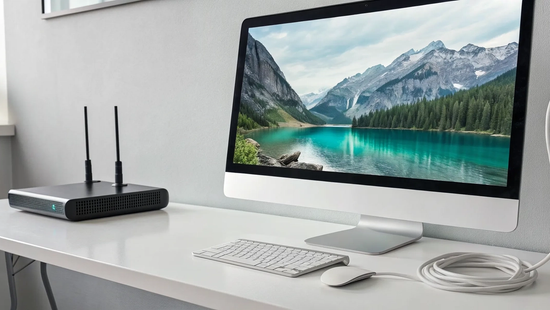
You’ve got the stunning 4K TV and a subscription to all your favorite streaming services. You’re ready for that immersive, crystal-clear picture everyone talks about. But when you press play, you get the dreaded spinning wheel of buffering. It’s a common frustration, and the solution isn’t always as simple as just buying a faster plan. The truth is, a great viewing experience depends on more than just speed; it requires a stable, reliable connection. This guide will walk you through everything that impacts your stream, from network congestion to Wi-Fi dead zones, so you can understand what makes the best internet for 4K streaming and finally fix those annoying interruptions for good.
Key Takeaways
- Aim higher than the minimum speed requirement: While streaming services list 25 Mbps as the minimum for 4K, a modern household with multiple devices needs more breathing room. A plan with 100 Mbps or more ensures everyone can stream, game, and work without causing frustrating buffering for others.
- Optimize your home network for better performance: Your internet plan is only half the battle; a weak Wi-Fi signal or old equipment can create bottlenecks. For the best results, place your router in a central location and use a wired Ethernet connection for your main streaming devices.
- Prioritize plans with no data caps: A single 4K movie can use over 15 GB of data, which adds up quickly. Choosing an internet plan without data caps gives you the freedom to stream in the highest quality without worrying about surprise fees or your speed being slowed down.
What Is 4K Streaming (And Is It Worth It?)
You’ve probably seen the "4K" or "Ultra HD" label on new TVs and your favorite streaming apps. So, what does it actually mean? In simple terms, 4K offers a picture with four times the number of pixels as standard 1080p HD. This creates a sharper, clearer, and more detailed image that can make you feel like you’re right there in the action. You can see the subtle textures in an actor's costume or the individual leaves on a tree in a sweeping landscape shot. It’s a beautiful viewing experience, but it comes with a big appetite for data.
The trade-off for that stunning quality is that 4K streaming uses a lot more of your internet bandwidth. A single hour of 4K video can consume over 7 gigabytes of data. To handle that constant flow of information without frustrating buffering, you need a solid internet connection. Whether the upgrade is worth it really depends on your setup and what you value in your viewing experience. Before you jump into a new plan or a new TV, it helps to understand what you’re really getting with 4K and if your current internet is up to the task. Many people find that a reliable fiber internet plan is the key to unlocking a smooth 4K experience.
4K vs. HD: What's the Real Difference?
The biggest difference between 4K and standard HD comes down to two things: resolution and the internet speed required to stream it. For a smooth 4K stream, most services recommend a minimum download speed of 25 megabits per second (Mbps). In contrast, 1080p HD content only needs about 5 to 9 Mbps to stream comfortably. This means 4K requires a connection that's at least three to five times faster.
Why the big jump? Think of it like this: your internet connection is a pipeline for data. Since a 4K picture contains four times more pixel information than an HD one, you need a much bigger pipeline to deliver all that data to your screen without a bottleneck. A slow connection trying to handle a 4K stream will lead to buffering, stuttering, or the quality dropping back down to HD.
Can You Actually See the Difference?
This is the million-dollar question, and the honest answer is: it depends. Your ability to see the extra detail in a 4K picture is influenced by your TV's screen size and how far away you sit. If you’re watching on a large screen (think 55 inches or more) and sitting relatively close, the difference will be obvious and impressive. On a smaller screen viewed from across the room, the benefits of 4K might be harder to spot.
The other major factor is what else is happening on your network. A connection might handle one 4K stream just fine, but what happens when someone else starts gaming online or joins a video call? This is where having a genuinely fast internet connection matters most. A plan with speeds of 100 Mbps or higher ensures you have enough bandwidth to stream in 4K on multiple devices at once without anyone’s experience suffering.
What Internet Speed Do You Need for 4K?
So, you’ve got a 4K TV and you’re ready for that stunning, crystal-clear picture everyone talks about. But what internet speed do you actually need to make it happen without the dreaded buffering wheel? While streaming services often list a minimum requirement, that number rarely tells the whole story. The right speed for you depends on more than just one TV. It’s about how many people are in your home, how many devices are connected, and what everyone is doing online at the same time. Think of your internet connection like a highway: a single car might be fine on a one-lane road, but a whole family needs a multi-lane freeway to avoid traffic jams. Let's break down what you really need for a flawless 4K experience.
The Minimum Speed vs. The Recommended Speed
Most streaming services say you need a minimum of 25 Megabits per second (Mbps) for 4K. Technically, that’s true, but relying on the bare minimum is like driving on an empty tank of gas. It might work for a bit, but you’re risking getting stranded. For a smooth, worry-free 4K stream, you need a "stability buffer." This means having a connection that’s about 35-40% faster than what the stream actually requires. That extra bandwidth accounts for normal internet fluctuations and ensures your picture stays sharp. For a single 4K stream, a comfortable and reliable speed is closer to 40 Mbps or more.
Streaming on Multiple Devices at Once
That 40 Mbps recommendation is great if only one person is using the internet to watch one thing. But that’s rarely the case in a modern home. Your internet speed is a shared resource, divided among every phone, laptop, tablet, smart speaker, and gaming console connected to your Wi-Fi. If someone is streaming 4K in the living room while another person is on a video call in the office and a third is gaming online, your bandwidth needs multiply quickly. For households with multiple users and devices, you should be looking at plans with 100 Mbps or more. Our high-speed fiber plans are designed to handle the demands of a fully connected family without breaking a sweat.
Busting Common Speed Myths
One of the biggest myths is that a fast internet plan automatically equals perfect streaming. The truth is, your advertised speed is only part of the equation. Many people with plans between 25-35 Mbps still experience buffering because of other factors. The most common culprit? A weak Wi-Fi signal. If your router is on the other side of the house, the signal might not be strong enough to deliver those 4K-worthy speeds to your TV, no matter how fast your plan is. A stable connection is just as important as a fast one. Before you upgrade your plan, it’s always a good idea to check for Wi-Fi dead zones in your home.
Does Your Internet Type Matter for 4K?
Yes, it absolutely does. While it’s easy to get caught up in the big speed numbers advertised on internet plans, the technology delivering that speed to your home plays a massive role in your streaming experience. Think of it this way: two cars might have the same top speed, but if one is a finely tuned race car and the other is a clunky, unreliable jalopy, which one will give you a smoother ride? The same principle applies to your internet connection.
The type of internet you have, whether it's fiber, cable, or something else, determines the consistency and reliability of your connection. For something as data-intensive as 4K streaming, a stable connection is just as important as a fast one. A plan that delivers a steady stream of data without hiccups will always outperform a plan with higher top speeds that constantly fluctuates. Let's look at how different internet types stack up for streaming, why stability is the secret ingredient for a buffer-free movie night, and why your upload speed matters more than you might think for a perfect 4K picture. The right high-speed fiber internet can make all the difference.
Fiber, Cable, or DSL: Which Is Best for Streaming?
When it comes to streaming 4K content, fiber internet is in a league of its own. It works by sending data as pulses of light through glass strands, resulting in incredibly fast and reliable performance. The biggest advantage of fiber is its symmetrical speeds, meaning your upload and download speeds are the same. This creates a smooth, two-way flow of information that’s perfect for streaming.
Cable internet, which uses the same coaxial cables as your TV service, is a decent second choice. It can deliver fast download speeds, but its upload speeds are typically much slower. DSL and fixed wireless options are generally less reliable for high-quality streaming. DSL runs on older phone lines with limited bandwidth, while fixed wireless can be affected by weather, physical obstructions, and network congestion.
Why a Stable Connection Beats Top Speed
Have you ever paid for a super-fast internet plan only to have your favorite show buffer at a critical moment? The problem might not be your speed, but your connection's stability. A stable connection delivers data consistently, without the frustrating drops and spikes that cause buffering. An internet connection with high latency, or "lag," can also disrupt your stream, as it takes longer for your device to communicate with the streaming server.
This is where fiber truly shines. It offers extremely low latency and a highly stable connection, so you get the speed you pay for without constant interruptions. Instability can also come from within your own home, like a weak Wi-Fi signal in your living room. If you're experiencing issues, troubleshooting your connection is a great first step to ensure your network is running smoothly.
Don't Forget About Upload Speed
We tend to focus on download speed for streaming because you're pulling data from a server. However, upload speed plays a crucial supporting role. As you stream, your device sends small signals back to the server to acknowledge that it received the data and to request the next chunk of the video. If your upload speed is too slow, these requests can get stuck in traffic, causing your stream to pause or buffer while it waits for instructions.
This is especially important for live streaming in 4K, where you're sending a constant video feed out to the internet. For the best quality, you need an upload speed of at least 25 Mbps. This provides enough bandwidth for the video and audio, plus a "stability buffer" of about 35-40% to handle any network fluctuations without dropping the quality.
How Many 4K Streams Can Your Internet Handle?
Figuring out how many 4K movies your family can stream at once isn't as simple as checking your internet plan's top speed. Your internet connection is a shared resource, like a digital highway. Every device in your home, from your smart TV to your laptop and phone, needs its own lane. When traffic gets heavy, things can slow down for everyone. Understanding how your bandwidth is divided and what’s using it is the key to keeping your streams smooth and buffer-free, even during primetime.
How Your Bandwidth Gets Divided
Think of your total internet speed, or bandwidth, as a single pie. Every device connected to your Wi-Fi takes a slice. Your 4K TV needs a big piece for streaming, but your laptop on a video call, your tablet playing music, and your phone scrolling social media are all taking their own slices, too. The more devices you have running, the more speed you’ll need to keep everyone happy. The number of devices connected to your network is a huge factor in determining the overall speed required for a smooth experience, as each one places a demand on your connection.
Juggling Your Household's Streaming Needs
In a busy home, it’s common to have multiple high-demand activities happening at the same time. Someone might be watching a 4K movie in the living room while another person is in an intense online game and a third is downloading large files for work. This is why experts often recommend speeds of 100 Mbps or more for households with several users. Finding the right internet service means matching your speed to your family's digital lifestyle. If you notice buffering in certain rooms, a mesh Wi-Fi system can also help spread a strong, reliable signal throughout your entire home, ensuring everyone gets the speed they need.
The Hidden Bandwidth Hogs in Your Home
It’s not just the devices you’re actively using that consume bandwidth. Many gadgets and apps work in the background, quietly eating up your speed. These "hidden hogs" can include security cameras uploading to the cloud, smart speakers, and automatic software updates on your computers and phones. Streaming TV already uses much more data than most other online activities. To keep your 4K stream as the top priority, try closing any apps or programs you don't need. Pausing automatic updates while you're watching a movie can also free up a surprising amount of bandwidth and improve your internet speed for live streaming.
How Much Data Does 4K Streaming Actually Use?
Let's get straight to it: 4K streaming is a data-hungry beast. That stunning, crystal-clear picture comes at a cost, and that cost is measured in gigabytes (GB). On average, you can expect to use between 7 and 9 GB of data for every hour you stream in 4K Ultra HD. To put that in perspective, watching a two-hour movie in 4K could burn through 18 GB of data. If you’re settling in for a weekend binge-watch, you could easily fly through a hundred gigabytes without even realizing it.
This is where the fine print on your internet plan really starts to matter. Many internet providers enforce monthly data caps, and exceeding them can lead to throttled speeds or extra fees on your bill. If your household has multiple streamers, gamers, or remote workers, that data limit can disappear faster than you think. That’s why having a connection with generous or unlimited data is essential for anyone who loves high-quality streaming. It gives you the freedom to enjoy your 4K TV without constantly checking your data usage.
Breaking Down Your Data Usage
The amount of data you use is directly tied to the quality of your stream. Think of it like a digital file: the more detail and information it contains, the larger the file size. Streaming in 4K (or Ultra HD) uses the most data by far, pulling down roughly 7 to 9 GB per hour. If you drop the quality to standard High Definition (HD), you’re looking at around 3 GB per hour. Go down to Standard Definition (SD), and you’ll only use about 1 GB per hour. This is why having one of our high-speed fiber plans is so important for a buffer-free 4K experience.
How Your Settings Affect Data Use
The good news is that you have some control over how much data you’re using. Most streaming services like Netflix, Hulu, and YouTube allow you to adjust the playback quality in your account settings. You can often set it to "Auto," which adjusts based on your current internet speed, or manually select a lower resolution. As one provider notes, "The clearer the picture (higher resolution), the more data you use." If you know you’re getting close to a data limit, switching from 4K to HD for a few shows can make a huge difference and help you stay on track.
Tips for Staying Under Your Data Cap
If your current internet plan has a data cap, you have to be a bit more strategic with your streaming habits. The easiest trick is to save 4K for the moments that count, like a big movie night, and watch your everyday shows in HD or even SD. You can also ensure a more stable connection by plugging your streaming device directly into your router with an Ethernet cable. This can reduce buffering, which sometimes causes the stream to restart and consume extra data. Of course, the best tip is to switch to a provider that believes in straightforward service without frustrating data caps.
Get Your Gear Ready for 4K
Having a fast internet connection is the first step to amazing 4K streaming, but it’s not the only piece of the puzzle. Your home equipment plays a huge role in whether you get a crystal-clear picture or a buffering nightmare. Think of it like having a sports car; if you’re driving on old, worn-out tires, you won’t get the performance you paid for. Let’s walk through the gear you need to check to make sure your entire setup is ready for the best possible 4K experience.
Is Your TV or Streaming Device 4K-Ready?
Before you do anything else, let’s confirm your hardware can actually handle 4K. It might sound obvious, but it’s a common oversight. You’ll need a 4K Ultra HD television to see the difference. Beyond the TV itself, check your streaming device, whether it’s a Roku, Apple TV, Fire Stick, or the smart TV’s built-in apps. Not all models support 4K. Also, remember that not all content is available in 4K. Some streaming services only offer it on their premium plans or for specific movies and shows, so it’s worth double-checking your subscription to make sure you have access.
The Right Cables Make a Difference
Cables might seem like a minor detail, but they can be the weak link in your streaming chain. For the most reliable, buffer-free connection, a wired setup is always best. If you can, connect your primary streaming device directly to your router using an Ethernet cable. This simple step eliminates Wi-Fi interference and gives you the most stable signal possible. Also, take a look at the HDMI cable connecting your streaming device to your TV. You’ll want to use one that’s labeled "High-Speed" or supports at least the HDMI 2.0 standard to ensure it can carry the 4K signal properly.
Why Your Router Is a Key Player
Your router is the traffic director for your entire home network. An old or underpowered router can bottleneck even the fastest internet plan. If you’re experiencing slow speeds or buffering in certain rooms, your router might be the culprit. For larger homes, a mesh Wi-Fi system can be a game-changer, spreading a strong signal to every corner. Upgrading to a newer router with Wi-Fi 6 technology can also significantly improve your network’s range and stability. A great fiber internet plan delivers incredible speed to your home; a modern router makes sure you can actually use it on all your devices.
Why Is My 4K Stream Buffering?
There’s almost nothing more frustrating than settling in for movie night, getting invested in a show, and then seeing that dreaded spinning wheel pop up on your screen. Buffering can ruin the best moments, and when you’re paying for a 4K-quality picture, you expect a seamless experience. Often, the problem isn’t just about raw internet speed. A number of factors can interrupt your stream, even if you have a fast internet plan.
The most common culprits behind buffering are network congestion (what I like to call "internet rush hour"), a weak Wi-Fi signal that doesn’t quite reach your TV, or even other devices in your home quietly eating up your bandwidth in the background. The good news is that most of these issues are fixable. By understanding what causes buffering, you can take a few simple steps to troubleshoot the problem and get back to enjoying your crystal-clear 4K stream without any annoying interruptions. Let’s walk through how to identify and solve these common streaming headaches.
Dealing with Internet Rush Hour
Think of your internet connection like a highway. During off-peak hours, traffic flows smoothly. But around 7 p.m., when everyone gets home from work and school, that highway can get congested. This is "internet rush hour." Suddenly, you’re not just streaming a movie; your kids are gaming online, your partner is on a video call, and your smart home devices are all communicating at once. This sudden demand can cause your speeds to dip. Many people find that speeds that are normally fine can cause buffering when the Wi-Fi signal is weak or when multiple people are using the internet. A reliable fiber internet connection is designed to handle this heavy traffic, giving every device the bandwidth it needs to run smoothly, even during prime time.
Finding and Fixing Wi-Fi Dead Zones
Does your stream work perfectly in the living room but constantly buffer in the bedroom? You’ve probably found a Wi-Fi dead zone. These are areas in your home where the signal from your router is weak or blocked by walls, furniture, or other obstacles. If you have persistent buffering in certain spots, a mesh Wi-Fi system can be a game-changer. These systems use multiple units placed around your house to spread a strong, consistent signal to every corner. Another option is to check if your router is up to date. Upgrading to a newer model with Wi-Fi 6 technology can significantly improve your internet’s range and stability, helping to eliminate those frustrating dead zones for good.
Simple Fixes for Annoying Buffering
Before you invest in new equipment, there are a few quick fixes you can try that often solve buffering issues. First, for the most important streaming device in your house (like your main TV or gaming console), try plugging it directly into your router with an Ethernet cable. A wired connection is always more stable than Wi-Fi. Next, take a look at what else is running on your network. Close any apps or programs you aren’t using on your computer or phone, and consider pausing automatic software updates while you’re streaming. These background processes can consume a surprising amount of bandwidth. If you need more tips, our support team is always here to help you get the most out of your connection.
Optimize Your Home Network for Flawless 4K
Getting a fast internet plan is the first step, but it’s not the whole story. How you set up your network inside your home plays a massive role in your streaming quality. Even with the best internet speeds, a poor home setup can lead to frustrating buffering and pixelated picture quality. The good news is that you don’t need to be a tech wizard to make significant improvements. A few strategic adjustments to your equipment and its placement can ensure that blazing-fast speed actually reaches your 4K TV. Think of it as building a smooth, private highway for your data, free of traffic jams and dead ends.
Where You Put Your Router Matters
Your router’s location can make or break your Wi-Fi experience. Since Wi-Fi signals travel through the air, they can be weakened or blocked by physical obstructions like walls, furniture, and even home appliances. A weak Wi-Fi signal in certain rooms can make 4K watching impossible, no matter how fast your internet plan is. For the best coverage, place your router in a central, open area of your home, preferably on a higher shelf. This allows the signal to spread out more evenly. Keep it away from thick walls and appliances that can cause interference, like microwaves.
Go Wired: When to Plug In Your Devices
While Wi-Fi is incredibly convenient, it can’t beat the stability and speed of a direct, wired connection. For devices that are critical for your 4K streaming and don’t move around, an Ethernet cable is your best friend. Plugging your smart TV, streaming device (like an Apple TV or Roku), or gaming console directly into your router provides a much more stable connection than Wi-Fi. This dedicated link minimizes interference and latency, giving you the smoothest possible 4K picture. Combining a wired connection with our high-speed services is the ultimate setup for serious streamers.
Give Your Stream VIP Treatment (with QoS)
Have you ever had your movie start buffering the second someone else in the house starts a huge download? You can fix that with a router setting called Quality of Service (QoS). Think of QoS as a traffic manager for your home network. It lets you prioritize certain devices or applications, telling your router to give your 4K stream first dibs on bandwidth. Most modern routers have this feature in their settings menu. By setting your smart TV or streaming device as a high-priority device, you ensure your movie night isn’t interrupted by other internet traffic. If you need help with your equipment, our support team can offer guidance.
Choose the Right Internet Plan for Your 4K Habit
Picking an internet plan can feel like you’re just choosing the biggest number you can afford, but it’s more strategic than that. The best plan for your 4K streaming habit isn’t just about raw speed; it’s about finding a service that matches how you and your family actually use the internet. A little bit of homework now can save you from a lot of buffering headaches later. Let’s walk through how to find the perfect fit for your home so you can press play with confidence.
Figure Out Your Family's Streaming Needs
Before you look at any plans, take a quick inventory of your household's internet use. The speed you need for one person watching a 4K movie is very different from what’s required for a family of four. Think about a typical evening: are you streaming in the living room while your partner is on a video call in the office and the kids are gaming online? Each of these activities demands bandwidth. The actual speed you need depends on how many people are online at once and what they’re doing. A plan that works for one 4K stream might struggle with two, especially if other devices are competing for bandwidth. Considering your family’s total usage will help you choose from internet service plans that can keep everyone happy.
Look for More Than Just Speed
While download speed gets all the attention, the type of internet connection you have is just as important for a great 4K experience. Fiber internet is the gold standard for streaming. Unlike cable or DSL, it uses light to send data through glass strands, resulting in an incredibly fast and stable connection. This technology provides symmetrical speeds, meaning your upload and download speeds are the same. While streaming is mostly downloading, a fast upload speed is crucial for smooth video calls, online gaming, and sharing large files. A reliable, low-lag connection from a local provider ensures your movie night isn’t interrupted by frustrating glitches or buffering.
Making Sense of Speeds and Data Caps
Streaming in 4K uses a massive amount of data. A single hour of 4K Ultra HD content can consume between 7 and 9 GB of data. If you’re a regular streamer, that adds up fast. Some internet providers place a monthly limit on your data usage, known as a data cap. If you exceed it, you could face extra charges or have your internet speed slowed down to a crawl. Imagine your stream freezing right at the climax of a movie because you hit your data limit. When choosing a plan, look for one with no data caps. This gives you the freedom to stream as much as you want without worrying about surprise fees or throttled performance.
Frequently Asked Questions
My internet plan is over 25 Mbps, so why does my 4K movie still buffer? This is a super common issue, and it usually comes down to a few things beyond just your plan's speed. Think of your internet speed as a shared resource for your whole home. If other people are gaming, on video calls, or even just scrolling on their phones, they are using up pieces of that bandwidth. Your Wi-Fi signal itself could also be the culprit; if your router is far from your TV or blocked by walls, the signal might be too weak to deliver the consistent speed 4K requires.
Is fiber internet really necessary for 4K, or is a fast cable plan good enough? While a fast cable plan can certainly handle 4K streaming, fiber internet is built to provide a much smoother and more reliable experience. The key difference is stability and symmetrical speeds. Fiber offers the same fast speeds for uploads and downloads, which helps your device communicate better with the streaming server and reduces lag. It's also less prone to slowdowns during peak hours, so you get the performance you pay for, even when the whole neighborhood is online.
What’s the easiest way to reduce how much data I use when streaming? The simplest trick is to be selective about when you use 4K. Save the ultra-high-definition quality for a big movie night and switch to standard HD for your regular weeknight shows. Most streaming apps like Netflix or Hulu have a playback settings menu where you can manually choose your streaming quality. Changing the setting from "Auto" or "Best" to a lower resolution like 1080p can cut your data usage by more than half without a huge drop in picture quality.
Besides my TV, what’s the most important piece of gear for a good 4K experience? Your router is the unsung hero of your home network. An old or outdated router can act as a bottleneck, preventing you from getting the full speed you pay for. If you can, connecting your main streaming device directly to your router with an Ethernet cable is the best thing you can do for a stable, buffer-free stream. A wired connection bypasses any Wi-Fi interference and gives your TV a dedicated, high-speed lane for data.
If I have a 100 Mbps plan, can two people in my house stream in 4K at the same time? Yes, a 100 Mbps plan should comfortably handle two separate 4K streams at once. A single 4K stream needs a stable connection of about 40 Mbps to run smoothly. So, with 100 Mbps, you have enough bandwidth for two streams with a little extra left over for other activities like browsing on a phone or tablet. If you have more intensive activities happening, like online gaming or large file downloads, you might notice some competition for bandwidth.


