
 Log in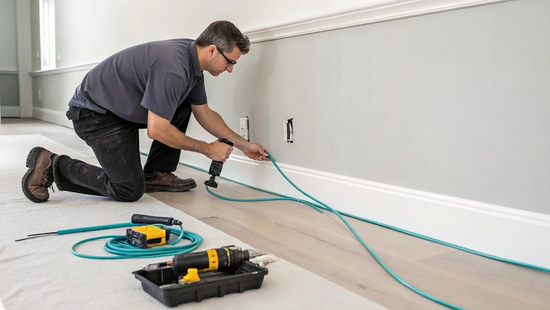
Upgrading your internet is no longer just about getting faster speeds for today; it’s about future-proofing your home for tomorrow. With the rise of smart homes, 4K streaming, and virtual reality, our data needs are only going to grow. A fiber connection is a long-term investment in your property’s infrastructure. A key part of that investment is the physical process of running fiber optic cable in house, which establishes a permanent, high-capacity link to the digital world. Here, we’ll explore why fiber is the ultimate upgrade, what the installation entails, and how it adds lasting value, ensuring your home is ready for whatever technology comes next.
Key Takeaways
- Choose fiber for a future-proof connection: Fiber optic technology provides far greater speed and reliability than older copper cables. Upgrading is a long-term investment in your home's infrastructure, ensuring it can handle future technological demands for years to come.
- Opt for professional installation for guaranteed results: While a DIY project is tempting, fiber optic strands are fragile and require specialized tools. A professional technician ensures the job is done correctly, saving you from the frustration and potential cost of a failed installation.
- Understand the key installation steps: A typical installation involves running a line to your home, placing a small device called an ONT inside, and connecting your router. Knowing this process helps you prepare your space and ensures a smooth setup on installation day.
What is Fiber Optic Cable?
Let's start with the basics. When you hear "fiber optic cable," you might picture something complex, but the idea is pretty straightforward. Instead of the old-school copper wires that most of us grew up with, fiber optic cables are made of incredibly thin, flexible strands of glass or plastic, each about the width of a human hair. Think of them as tiny, transparent tubes bundled together inside a protective casing. What makes them so special is what they use to send information: light.
This technology is the backbone of the blazing-fast internet we provide, and it represents a huge leap forward from the electrical signals used by traditional cables. Because fiber uses light, it can carry massive amounts of data much faster and over longer distances without the signal getting weaker. It’s this fundamental difference that allows for the kind of high-speed, reliable connection that modern homes need for streaming, gaming, and working remotely. As a local provider, we believe in building our network on the best technology available, and that’s why we’ve built our service on a foundation of pure fiber. It’s not just an upgrade; it’s a completely different and better way to connect.
How Light Transmits Your Data
So, how does a beam of light carry your Netflix stream or video call? Your data, whether it's a movie, an email, or a webpage, is converted into pulses of light. These light pulses then travel through the glass strands of the fiber optic cable at nearly the speed of light. A receiver at the other end decodes these flashes back into the data you see on your screen. It's this incredibly fast method of data transmission that allows for the symmetrical upload and download speeds you need for gaming, streaming, and working from home without a hitch.
Fiber vs. Copper: What's the Real Difference?
When you put fiber and copper side-by-side, the differences are night and day. Copper cables, which use electrical signals, have limitations. They can only send a signal about 328 feet before it starts to weaken. Fiber, on the other hand, can carry its light signal for up to 25 miles with very little loss. This means a stronger, more consistent connection reaches your home.
But speed and distance are only part of the story. Fiber is also much more durable. Because it uses light, it's completely immune to the electrical interference that can disrupt copper connections during a thunderstorm. It's also resistant to changes in temperature and moisture, which means fewer outages and a more reliable service for you. Plus, with a lifespan of up to 50 years, fiber cables are a long-term solution, unlike copper which can corrode and need replacing in as little as five years.
Why Bring Fiber Internet Into Your Home?
If you're still using cable or DSL, you've probably felt the frustration of a slow, unreliable connection. Whether it's a movie that won't stop buffering or a video call that keeps freezing, outdated internet technology can hold you back. Fiber internet is a completely different experience, built from the ground up for the demands of modern life. It offers a powerful combination of speed, reliability, and longevity that other connections simply can't match. Let's look at what bringing fiber into your home really means for you and your family.
Experience Faster Speeds and More Bandwidth
Think about the last time your movie night was interrupted by buffering. With fiber, that's a thing of the past. Fiber optic cables transmit data using light, allowing for incredibly fast speeds. While typical cable internet might struggle during peak hours, fiber provides a consistent, high-speed connection. This means you can download large files in seconds, not minutes, and enjoy lag-free gaming. More importantly, fiber offers massive bandwidth to support all your devices at once. So, the whole family can stream, work, and play simultaneously without anyone's connection slowing to a crawl. Our internet plans are designed with symmetrical speeds, so your uploads are just as fast as your downloads.
Count on a More Reliable, Durable Connection
There’s nothing worse than your internet cutting out during a thunderstorm or an important meeting. Because fiber optic cables are made of glass, they are immune to the electromagnetic interference that affects traditional copper cables. This makes your connection far more stable and less prone to outages caused by bad weather, temperature changes, or nearby electronics. This durability means you get a more consistent signal day in and day out. Plus, fiber is inherently more secure. The physical nature of the cable makes it much harder for anyone to tap into your connection, giving you peace of mind that your personal data is better protected. It's all part of our commitment to providing a service you can truly trust.
Future-Proof Your Home
Choosing an internet connection isn't just about meeting your needs today; it's about preparing for the future. Technology is advancing quickly, with higher-resolution streaming, more complex smart home devices, and new virtual reality experiences on the horizon. A fiber connection is a long-term investment in your home's infrastructure. It's built to handle the internet demands of tomorrow, ensuring you won't need to worry about upgrading again in just a few years. By installing fiber now, you're setting your home up for decades of technological growth. You're not just getting faster internet; you're getting a 'future-proof' solution that adds lasting value to your property. Check to see if Novos Fiber is available in your neighborhood to make the switch.
What to Expect from a Professional Fiber Installation
Switching to fiber internet is exciting, and the installation is a lot simpler than you might think. When you sign up for a Novos Fiber plan, our professional technicians handle everything to get you connected. We’re your local experts, so we know how to set up your service quickly and correctly, with minimal disruption to your day. The whole process is designed to be smooth and straightforward, ensuring your new, blazing-fast internet is up and running perfectly from day one. Let’s walk through exactly what happens on installation day.
Getting the Cable from the Street to Your House
The first step is bringing the magic of fiber to your front door. Fiber optic cables are thin strands of glass that transmit data using flashes of light, which is what makes them so much faster and more reliable than old-school copper wires. Our technician will run a durable fiber optic cable from our main network line, which is typically located underground or on a nearby utility pole, directly to your home. They’ll then attach the cable to a small, weather-proof box on an outside wall. Our local team handles this with care, ensuring the connection is secure and tidy.
Understanding the Optical Network Terminal (ONT)
Once the fiber line reaches your house, the next piece of the puzzle is the Optical Network Terminal, or ONT. Think of the ONT as a translator. It’s a small device we install inside your home that converts the light signals from the fiber optic cable into an electrical signal that your router and devices can understand. To give you the best possible Wi-Fi coverage, our technician will work with you to find a central location for the ONT. Placing it in the middle of your home helps spread the signal evenly, so you can enjoy a strong connection from the living room to the home office.
Your Step-by-Step Installation Day Guide
We want you to feel completely comfortable with the installation process. Here’s a simple guide to what you can expect when our technician arrives:
- Quick Chat: Before starting, the technician will confirm the services you ordered and walk through the installation plan with you. This is the perfect time to ask any questions you might have.
- Bringing Fiber Inside: The technician will carefully drill a small, sealed hole in an exterior wall to bring the fiber optic cable into your home and connect it to the ONT.
- Setup and Connection: After installing the ONT, they will connect it to your router and get your Wi-Fi network up and running.
- Speed Test: Finally, the technician will run a speed test to confirm you’re receiving the lightning-fast speeds you signed up for. If you have any other questions after your appointment, our support team is always here to help.
Thinking of a DIY Fiber Installation?
If you’re the kind of person who loves a good weekend project, the idea of running your own fiber optic cable might sound appealing. We get it. There’s a certain satisfaction that comes from tackling a home improvement project yourself. While running fiber is definitely possible for a dedicated DIYer, it’s important to know that this isn’t like snaking a new coaxial or ethernet cable through the walls. Fiber optic strands are tiny threads of glass, and they require a level of precision and care that other wiring projects simply don’t.
Before you start filling an online shopping cart with supplies, it’s worth understanding the full scope of the job. From choosing the right type of cable to handling it without causing microscopic, signal-killing fractures, a DIY fiber installation is a delicate process. A small mistake can be costly and frustrating to fix. To help you decide if this is the right project for you, let’s walk through what it takes to successfully run fiber optic cable in your home. If it starts to feel overwhelming, remember that our professional technicians are always ready to provide support and get the job done right.
Single-Mode vs. Multimode: Choosing the Right Fiber
Your first big decision is picking the right type of fiber. The two main options for home use are single-mode and multimode. Single-mode fiber has a very small core and uses a laser light source, making it ideal for sending data over long distances. Multimode fiber has a larger core that allows multiple modes of light to travel through it, which works well for shorter distances within a home. Some DIYers suggest using single-mode armored fiber because it offers great durability and allows you to add more connections later without running new lines. Others find that a quality multimode cable, like OM4, is more than enough for a typical home network and can be a bit more forgiving to work with.
The Tools and Materials You'll Need
Once you’ve chosen your fiber, you’ll need the right materials to protect it. The type of cable jacket is critical. For any cable you run inside your walls or between floors, you’ll need to use "riser rated" cables to meet safety codes. For sections that will be exposed to the elements outside, you must use a cable with a "UV stable jacket" to prevent the sun from degrading it over time. You will also need tools like cable trays or ducts to create a safe path for the fiber, along with soft, plastic clamps to secure it without applying too much pressure. Remember, the goal is to guide the cable, not force it.
DIY Best Practices and Safety Tips
Handling fiber optic cable is all about being gentle. Unlike copper wires, you can’t just pull it forcefully through conduit. You should run the fiber loosely in trays and be extremely careful not to bend it too sharply, as this can crack the glass inside. A good rule of thumb is to never bend it tighter than the radius of a coffee mug. It’s also a smart practice to leave some extra cable coiled up at each end. This is called a "service loop," and it gives you some slack to work with if you ever need to move equipment or re-terminate the end. Secure the cables with plastic clamps, but don't squeeze them tight.
Common DIY Mistakes to Avoid
One of the most common DIY pitfalls involves pre-terminated cables, which come with connectors already attached. While convenient, these connectors are the most fragile part of the cable. Many installers won't even guarantee them because they can easily break when being pulled through walls. Another major issue is that fiber is very difficult to repair if it gets damaged. A tiny crack or kink that you can’t even see is enough to completely disrupt your internet signal, potentially forcing you to replace the entire line. This is why patience and a delicate touch are your most important tools for this job. Rushing the process is the quickest way to a failed installation.
Common Challenges of a Home Fiber Installation
Getting fiber internet is exciting, but the installation process itself can have a few tricky spots. Whether you’re planning a DIY project or just want to know what to expect from a professional install, understanding these common challenges is key. These aren't meant to scare you off; they're just the realities of working with highly advanced technology. Knowing what’s involved helps you appreciate the process and ensures you get the best possible result: a flawless, lightning-fast connection.
Handling Cable Fragility and Bend Radius
Fiber optic cables are powerful, but they are also delicate. Inside the protective outer jacket are tiny strands of glass, and just like any glass, they can break if handled improperly. The most important rule is to respect the cable's bend radius. Think of it as the tightest corner the cable can turn without risking damage to the fibers inside. Bending it too sharply is like trying to fold a piece of uncooked spaghetti; it will snap. When running the cable, always opt for gentle, sweeping curves instead of sharp, 90-degree angles, especially around corners or when coiling up extra cable.
Applying the Correct Tension
It’s not just about bending; pulling on the cable too hard can be just as damaging. Applying too much tension can stretch or break the fragile glass fibers, creating a weak spot or a total failure in your connection. When you or a technician pulls the cable through walls or conduit, it has to be done with a steady, gentle force. It’s also why professionals secure the cables with special clamps that hold them in place without squeezing them too tightly. A great pro tip is to leave a "service loop," which is a small, neat coil of extra cable at the connection point. This provides slack for any future repairs or equipment moves without putting strain on the line.
Working Around Your Home's Infrastructure
Unless your home was recently built with fiber in mind, there isn’t a pre-made path for the cable to follow. The first challenge is getting the line from the street to your house, which might involve running it along utility poles or burying it in a shallow trench. Once it’s at your house, the real puzzle begins: finding the best route inside. This can mean carefully drilling through walls, navigating around existing pipes and electrical wires, and fishing the cable through ceilings or crawlspaces. A professional installer has the tools and experience to do this with minimal disruption, finding the cleanest and most efficient path for your fiber connection.
Permits, Codes, and Equipment Compatibility
Finally, there’s the paperwork and technical side of things. Depending on where you live and the scope of the work (like trenching in your yard), you might need to secure local permits. There are also industry standards, like the TIA 570-E residential cabling standard, that outline the best practices for a safe and reliable installation. While you don’t need to memorize these codes, it’s a big reason why hiring a professional is often the best choice; they handle the compliance for you. Plus, they ensure all your equipment, from the outdoor line to the Optical Network Terminal (ONT) inside and your router, is compatible and configured to work together perfectly from day one.
What's the Cost to Install Fiber in a House?
Let’s talk about one of the biggest questions on everyone’s mind: the budget. The cost of bringing fiber optic internet into your home isn't a single, fixed number. It really depends on which path you take, professional or DIY, and the specific layout of your property. A professional installation handles all the technical work for you, offering peace of mind and a guaranteed result. The price for this service can vary quite a bit, from a straightforward connection to a more complex project that requires extra labor and materials.
On the other hand, a DIY installation can be a rewarding project that saves you money on labor. If you’re comfortable with home improvement projects and have a knack for technology, this might be a great fit. You’ll be responsible for buying all the necessary cables, tools, and components.
The great news is that many internet service providers are making it easier and more affordable than ever to get connected. Here at Novos Fiber, we believe everyone deserves access to incredible internet without the stress of surprise fees, which is why we offer free professional installation with our service plans. We handle the entire process so you can just sit back and get ready for faster speeds.
Breaking Down Professional Installation Costs
When you hire a professional, you're paying for their expertise, specialized tools, and efficiency. Generally, a standard professional installation fee can run between $70 and $100. This typically covers the work of bringing the fiber line from the street to your home and setting up the Optical Network Terminal (ONT) inside. However, costs can climb if your installation is more complex. Factors like a long driveway, buried utility lines, or the need to run cable through difficult interior walls can increase the price, sometimes into the hundreds of dollars. That’s why finding a provider with transparent pricing is so important.
Calculating DIY Material Costs
If you decide to tackle the installation yourself, your main expense will be the materials. The good news is that setting up a fiber optic network at home is often less expensive than you might think. Your biggest purchase will be the fiber optic cable itself. You’ll need to choose the right type: "riser rated" cables are designed for running between floors inside your house, while outdoor runs require a cable with a "UV stable jacket" to protect it from the sun. You'll also need to budget for tools like a fiber stripper and cleaver, connectors, and a media converter to switch the light signal back to an electrical one for your devices.
Weighing Upfront Cost vs. Long-Term Value
Whether you go with a pro or DIY, it’s helpful to see fiber installation as a long-term investment in your home. While the initial cost can sometimes be higher than for traditional copper cable, fiber pays for itself over time. Fiber optic cables are incredibly durable and can last for up to 50 years, whereas copper cables may need replacement in as little as five years due to corrosion and wear. This durability means fewer service calls and less maintenance down the road. Plus, with its massive capacity for speed and data, a fiber connection ensures your home is ready for whatever the future of technology holds.
Pro vs. DIY Installation: How to Decide
So, you’re sold on the power of fiber, but now you face a classic homeowner’s dilemma: should you hire a professional or tackle the installation yourself? The right answer depends on your comfort level with technology, your budget, and the complexity of your home’s layout. Both paths have their merits, but one is definitely more straightforward than the other. Let's walk through the pros and cons to help you figure out the best route for your home.
At Novos Fiber, we handle the entire professional installation for you, ensuring your connection is perfect from day one. Our local technicians are experts at setting up our high-speed fiber internet and are always happy to answer your questions. We believe in making your switch to better internet as smooth as possible.
The Advantages of a Professional Install
For most people, professional installation is the way to go. Fiber optic cables are not like the sturdy copper wires you might be used to; they contain tiny, fragile strands of glass. Handling them requires a delicate touch and specialized, expensive tools that most of us don't have in our garage. A professional technician knows exactly how to run the cable without breaking it, ensuring you get the best possible signal.
They also follow strict safety and installation standards. For a fee that’s typically between $70 and $100, you get the peace of mind that comes with knowing the job was done right. A pro will handle everything from mounting the ONT to testing the connection, saving you a ton of time and potential frustration.
When a DIY Approach Makes Sense
If you’re an experienced DIYer who is comfortable with home networking, you might be tempted to install the fiber yourself. For very simple setups, this approach can save you the installation fee. Some tech-savvy homeowners enjoy the challenge and the control that comes with managing their own network infrastructure.
Keep in mind, however, that this is not a beginner-friendly project. You’ll need to purchase the correct type of fiber cable and a specific toolkit for the job. If your main goal is just to run a faster connection between rooms, you might find that high-quality Ethernet cables like Cat6 or Cat6a can handle incredible speeds and are much easier and cheaper to install for internal networking.
Signs It's Time to Call a Pro
How do you know when a DIY project is over your head? A few clear signs indicate it’s time to put down the tools and call for backup. If your home needs a brand-new Optical Network Terminal (ONT) installed, that’s a job for a professional. This process can take several hours and requires technical expertise.
Another major red flag is if any cables need to be spliced, which is the process of joining two fiber optic cables together. This requires microscopic precision and specialized fusion equipment. Trying to do this yourself will likely lead to a weak or non-existent signal. If you start a DIY project and run into trouble, it’s always best to stop and get support from your provider.
Is Novos Fiber in Your Neighborhood?
After learning about the incredible benefits of a fiber connection, you’re probably asking the most important question: “Can I get it at my house?” If you live in Texas, we’re hoping the answer is a resounding yes. As a local provider, we’re passionate about connecting our neighbors with the reliable, high-speed internet they deserve. We’re building our network community by community, with a focus on delivering top-tier service with a personal touch.
The quickest and easiest way to see if our services are available on your street is to check your address on our interactive map. Just type in your information, and you’ll get an immediate answer. Our network is constantly growing as we lay new fiber optic lines across the state. If we aren’t in your area just yet, please check back soon. We’re working hard to bring blazing-fast internet to more Texas homes and businesses every day. Being a local company means we’re deeply invested in the places we serve, and you can learn more about our commitment to building stronger communities. We can’t wait to connect with you.
Related Articles
Frequently Asked Questions
Is fiber really that different from my current cable internet? Yes, it’s a night-and-day difference in your daily experience. While cable internet uses old copper wires that are prone to slowdowns and interference, fiber uses light traveling through glass strands. This means your connection is not only much faster but also incredibly stable. You can say goodbye to your screen freezing during important video calls or your favorite show buffering during prime time, even when everyone in the house is online at the same time.
How long does a professional installation take, and will it disrupt my home? A standard professional installation is surprisingly quick and clean, usually taking just a few hours. Our technicians are experts at finding the most efficient and discreet path for the cable. They will consult with you before drilling a small, necessary hole to bring the fiber inside, which is then fully sealed. Their goal is to get your new, faster internet running with minimal fuss so you can get back to your day.
I'm thinking about a DIY installation to save money. Is this a good idea? While we admire a can-do spirit, installing fiber is a very delicate task. The glass strands inside the cable can easily break if bent or pulled incorrectly, which can ruin the entire line and leave you with no connection at all. It also requires expensive, specialized tools. Since we offer professional installation for free with our plans, it’s usually best to let our trained technicians handle the job. This ensures it’s done right the first time, saving you potential headaches and extra costs.
What exactly is an ONT, and where will you put it? Think of the Optical Network Terminal (ONT) as the modem for your fiber connection. It’s a small box that converts the light signals from the fiber optic cable into an internet signal your router can use. Our technician will work with you to find the best place for it. We typically recommend a central location in your home, like a living room or home office, to help provide the strongest and most even Wi-Fi signal throughout your house.
Why are symmetrical upload and download speeds a big deal? Most internet plans give you fast download speeds for things like streaming movies or browsing websites, but they give you much slower upload speeds. Symmetrical speeds, a key benefit of fiber, mean your uploads are just as fast as your downloads. This is crucial for modern internet use, like having clear, lag-free video calls, quickly sending large work files, backing up your data to the cloud, or enjoying competitive online gaming without a hitch.


