
 Log in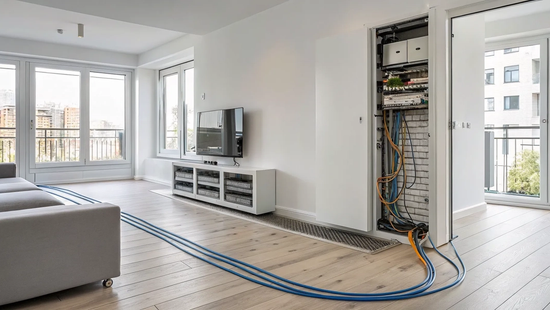
Moving into an existing house often means inheriting someone else’s internet problems: old wiring, poorly placed outlets, and limited provider choices. But with a new build, you have a completely blank slate. This is your golden opportunity to design your home’s digital nervous system exactly how you want it, ensuring powerful, reliable connectivity in every single room. This process, formally called internet aansluiting nieuwbouw, gives you the control to install the best infrastructure from day one. By making a few smart decisions during the construction phase, you can guarantee your home is equipped with a blazing-fast fiber connection that supports everything your family does online, without compromise.
Key Takeaways
- Work with your builder on internal wiring: Before the walls go up, ask your builder to install ethernet ports in key rooms. This simple step guarantees you have stable, high-speed connections for devices like work computers and smart TVs, preventing future Wi-Fi dead zones.
- Finalize your internet plan four to six weeks out: Once you know which providers serve your new address, select your plan and schedule the installation at least a month before moving in. This buffer gives the provider ample time to run exterior lines and helps you avoid last-minute connection delays.
- Test your connection after installation: After the technician completes the setup, walk through your new home to check the Wi-Fi speed and signal strength in every room. This helps you identify and fix any weak spots right away, ensuring your whole home is covered.
Plan Your Internet Before You Build
Building a new home is an exciting whirlwind of decisions, from paint colors to countertops. But one of the most important choices for modern living is something you can't see: your internet connection. Thinking about your internet needs before the drywall goes up can save you a lot of headaches and ensure your new home is ready for anything, from 4K streaming to running a business from your home office. A little planning goes a long way in creating a home that’s as smart as it is beautiful, and it all starts with treating your internet like the essential utility it is.
Getting your home wired correctly from the start is the key to a seamless digital life. It ensures you have the infrastructure to support the fastest speeds available and the flexibility to adapt as technology changes. By working with your builder and your internet provider early on, you can make sure your home’s connectivity is a feature, not an afterthought. This proactive approach is the difference between a home that’s simply new and one that’s truly future-ready. It means you won't have to compromise on speed or deal with spotty Wi-Fi in a house you designed from the ground up.
What Are a New Home's Internet Requirements?
The ideal time to map out your internet setup is during the construction phase, long before the walls are closed up. Ask your builder to install empty tubes, or conduits, inside the walls. This lets you easily pull internet cables through them later, giving you a hardwired connection that's far more stable and faster than relying on Wi-Fi alone. Think about where you'll need the strongest connection and plan for enough Ethernet ports in rooms like your home office, the living room for your smart TV, or even spots where you might place a Wi-Fi extender. This ensures you can take full advantage of the high-speed fiber internet you’ll be installing.
When to Apply for Internet Service
Don't wait until you're packing boxes to think about your internet. You should get the ball rolling at least four weeks before your move-in date. This gives the provider enough time to schedule everything without a last-minute scramble. A good rule of thumb is to apply for service once your home is "windtight"—meaning the roof, doors, and windows are in. This is often the same time other utilities like water and electricity are getting hooked up. The first step is to check which providers serve your new address. If you’re managing the build yourself, you’ll likely need to handle this application process directly, so starting early is even more critical.
What Are Your Internet Options for a New Home?
Moving into a new home is the perfect opportunity to choose the best internet connection for your family's needs. Unlike with an existing house, you might have more say in the type of wiring and service you get from day one. Understanding the main types of internet will help you make a smart decision that supports everything from movie nights to working from home. Let's walk through the most common options you'll encounter.
Fiber-Optic Internet
Fiber is the gold standard for modern internet, and for good reason. It’s the newest and fastest technology available, using a 100% fiber-optic line that runs directly into your home. This direct connection delivers symmetrical upload and download speeds, meaning you get equally fast performance whether you're streaming a 4K movie or uploading large files for work. For new builds, fiber is increasingly the default choice. If you have the option, it’s wise to plan with your builder where you want the fiber connection point installed to ensure you get the best possible setup from the start. This is the best way to guarantee your new home is equipped with blazing-fast speeds for years to come.
Cable Internet
Cable internet is another widely available option that many people are familiar with. It runs on the same coaxial cable lines that deliver cable TV service. Most cable providers operate on a hybrid network, which uses fiber-optic lines to a neighborhood hub or street cabinet, and then coaxial cable for the final stretch into your home. While it can offer fast download speeds, the upload speeds are typically much slower than with fiber. In most new homes, the internal wiring is shifting away from coaxial cables to more modern ethernet wiring, but a cable connection can still be a reliable choice if a 100% fiber network isn't available in your area.
DSL and Fixed Wireless
If your new home is in a more rural area, you might encounter options like DSL and fixed wireless. DSL, or Digital Subscriber Line, provides internet over traditional telephone lines and is generally the slowest of the wired connections. Fixed wireless is a more modern alternative that is becoming a strong option for those outside of city limits. It works by sending an internet signal from a nearby tower to a receiver installed on your home. As technology improves, 5G home internet is also emerging as a viable choice in this category, offering better speeds and reliability than older wireless or satellite services.
How to Choose the Right Internet Provider
Picking an internet provider for your new home is a big decision, but it doesn't have to be complicated. Think of it as an opportunity to get the best possible connection from the moment you get your keys. By focusing on a few key areas, you can find a provider that fits your family’s needs, your budget, and your expectations for customer service. Let’s walk through the three simple steps to finding the right internet partner for your new build.
Confirm Provider Availability
Before you get your heart set on a specific plan, your first step is to find out which providers actually service your new address. Internet availability can vary street by street, especially in new construction areas. Most providers have an online tool where you can enter your address to see if you’re in their network. This simple check narrows down your options right away and saves you from researching companies that can’t connect to your home. As you search, you can see which Texas communities we serve and find out if our high-speed fiber is available at your new location.
Compare Speeds, Pricing, and Plans
Once you have a list of available providers, it’s time to compare what they offer. Start with speed. Think about how your household will use the internet. Are you a family of gamers, streamers, and remote workers? You’ll want to look for high-speed fiber with symmetrical upload and download speeds. Next, look at the price. The best providers offer transparent pricing without confusing promotional periods or hidden fees. You should be able to easily find straightforward internet plans that clearly state the speed you'll get and what you'll pay for it each month, making your decision simple and stress-free.
Evaluate Customer Reviews and Support
A great internet plan on paper means nothing if the service is unreliable or the support is frustrating. This is where you do your final homework. Look for customer reviews and testimonials to get a sense of the real-world experience. Pay close attention to what people say about reliability and customer service. Do you want to deal with a massive, impersonal call center, or would you prefer a local team that knows your area? Choosing a provider that is built on trust and powered by people means you’ll have dedicated support when you need it most, turning a utility into a true community partner.
What to Expect During the Installation Process
Getting internet set up in a new home involves more planning than in an existing one, but it’s a straightforward process. When you work with a local provider like Novos Fiber, we partner with you and your construction team to make sure everything goes smoothly. The goal is to have your fast internet ready to go the moment you get your keys. Breaking the process down into a few key steps helps ensure nothing gets missed. It’s all about thinking ahead, communicating clearly, and letting the pros handle the technical work.
Plan Your Home's Internal Wiring
Before the drywall goes up, walk through your floor plan and think about your digital life. Where will your home office be? Where will you stream movies? Deciding where you want your router and any wired connections now will save you headaches later. It’s a great idea to have your builder install extra ethernet ports in key rooms for a stable, wired connection to work computers or smart TVs. A little planning for your home network setup ensures you have strong, reliable access exactly where you need it.
Coordinate with Your Construction Team
Communication with your builder is key. The best time for an internet provider to run the main fiber line to your home is when the house is "windtight." This just means the roof, windows, and doors are installed, which is usually when other utilities are connected. Let your builder know which internet provider you've chosen and keep them updated. You should also check if service is available in your new neighborhood early on. This allows us to coordinate with your construction crew, ensuring we can lay the groundwork for your connection at the perfect time to prevent move-in day delays.
The Professional Installation and Setup
Once the external fiber cable is run to your home, the final step is the internal setup. A technician will visit to install the equipment that brings the fiber connection into your house. This includes a small box called an Optical Network Terminal (ONT) and your Wi-Fi router. They will place the equipment in your planned location and make sure everything is connected and running perfectly. Our team handles the technical details to get your service activated, so you can focus on unpacking. If you have questions about the equipment, our support team is always here to help.
How Much Does Internet Installation Cost for a New Build?
Figuring out the cost to get internet at your new home can feel a bit like a guessing game. The final price tag can range from completely free to several thousand dollars, and it all depends on one key factor: infrastructure. If your new home is in a neighborhood where a fiber network is already established, you’re likely in for a smooth and affordable process. However, if the provider needs to extend their lines to reach your property, you could be looking at additional costs for the construction work required to get you connected.
The best way to avoid surprises is to get a clear quote from your potential internet provider as early as possible in your building process. This gives you a realistic picture of the investment needed and helps you budget accordingly. A transparent provider will walk you through any potential charges, explaining what they cover and why they are necessary.
Standard Installation and Setup Fees
In many cases, the standard installation for your new home’s internet will be free. Providers often waive setup fees as part of a promotional offer to welcome you as a new customer, especially in areas where their service is readily available. A "standard installation" typically includes the work needed to run a line from the main network connection at the street to your home and get your modem or router up and running. It’s the final step in connecting your pre-wired house to the web.
When you're comparing providers, pay close attention to their internet plans and any associated fees. A trustworthy provider will be upfront about costs, so you know exactly what to expect. At Novos Fiber, for example, we believe in clear, simple pricing without hidden charges, making it easy for you to get online without worrying about unexpected bills.
Potential Infrastructure and Wiring Costs
This is where costs can start to climb. If your new build is located far from a provider's nearest network access point, you may have to cover the expense of extending that infrastructure to your lot. This can involve significant work, like digging trenches and laying hundreds or even thousands of feet of cable. As you can imagine, these construction costs can be substantial, sometimes running into thousands of dollars. It’s crucial to check for service availability at your new address early on to see if you're within the existing network footprint.
Beyond getting the service to your house, you also need to think about the wiring inside. While this is a separate cost handled by your builder or a low-voltage contractor, planning for it is part of the process. Pre-wiring your home with Ethernet ports in key rooms ensures you can get a strong, stable connection exactly where you need it.
Understand Contracts and Promotional Offers
When you sign up for a new internet service, you’ll often find attractive promotional offers designed for new customers. These can include free installation, a few months of free service, or a lower monthly rate for your first year. These deals are a great way to save money upfront, but it’s important to read the fine print and understand what you’re agreeing to for the long term. Find out what the price will be after the promotional period ends and whether there are any data caps or equipment rental fees.
Choosing a local provider built on trust can make this process much simpler. We prioritize transparency, so you won't find confusing terms or surprise price hikes in our agreements. Your internet connection is a long-term relationship, and you deserve a partner who is straightforward about costs from the very beginning. Look for a provider who is happy to answer all your questions and ensures you feel confident in your choice.
When Should You Schedule Your Internet Hookup?
Timing is everything, especially when you’re coordinating the final details of a new home. You don’t want your move-in day to be slowed down by a lack of internet, so scheduling your hookup requires a bit of forward planning. Unlike moving into an existing home where the infrastructure is already in place, a new build needs a little more coordination. Getting your internet service set up is a key step that should happen in sync with your construction schedule, not as an afterthought. By planning ahead, you can ensure your Wi-Fi is ready to go the moment you get the keys, making your transition into your new space as smooth as possible. Let’s walk through the ideal timeline for getting your new home connected.
Aligning with Your Construction Timeline
The best time to start thinking about your internet connection is while your house is still under construction. As soon as your address is officially registered, you should check if service is available in your new neighborhood. This gives you plenty of time to coordinate with both your builder and your internet provider. Talk to your construction manager about running conduit and any necessary wiring for fiber internet before the drywall goes up. This proactive step is much easier and cleaner than trying to run cables after the fact. Planning for your internet hookup during the building phase ensures the essential groundwork is laid, preventing future headaches and potential damage to your brand-new walls.
How to Avoid Common Installation Delays
To prevent a last-minute scramble, you should officially schedule your installation about four to six weeks before your closing date. This buffer is your best friend. It gives the provider, like us here at Novos Fiber, enough time to handle any necessary external work, such as running a fiber line from the street to your home. It also provides flexibility in case of construction delays or scheduling conflicts. When you call to set up your appointment, have a clear idea of your estimated move-in date. You can learn more about what to expect during your installation so you’re fully prepared for the technician’s visit. A little planning goes a long way in guaranteeing a seamless connection from day one.
How to Prepare for Common Installation Challenges
Even with a perfect plan, moving into a new home can have a few surprises. Getting your internet set up is a critical step, and being prepared for common hiccups makes the process much smoother. A little foresight prevents delays and ensures you have the connection you need from day one. From construction quirks to making sure your Wi-Fi signal reaches every room, let's walk through how to get ahead of potential installation challenges.
Solving Construction-Related Connectivity Issues
The best time to solve wiring problems is before your walls are even finished. During construction, think carefully about how you'll use the internet in your new home. Where will your home office be? Where will you stream movies? Work with your builder to install extra conduits or ethernet cables in these key areas. Planning for these connections early is much easier and cheaper than trying to run wires through finished walls later. This proactive step ensures that when it's time to install your high-speed fiber internet, you have connection points exactly where you need them.
What to Do About Scheduling or Equipment Problems
Timing is everything when coordinating an internet installation for a new build. As soon as you have a firm move-in date, get in touch with your internet provider. Giving them at least 30 days' notice is a good rule of thumb to secure an appointment that fits your schedule. If you're moving within an area where your current provider operates, you can often transfer your service. You can easily check for service availability in your new neighborhood online. Transferring service is typically more affordable than paying a fee to end your contract early, saving you money and a headache.
Ensure Strong Wi-Fi Coverage in Every Room
Modern homes are built to be incredibly energy-efficient, with excellent insulation and sometimes steel frames. While great for your utility bills, these materials can weaken Wi-Fi signals and create dead zones. To get a strong, reliable connection in every corner of your house, you might need a Wi-Fi extender or a mesh system. It's also smart to have your builder install physical internet ports (UTP connections) in rooms where you'll have stationary devices like a desktop computer or smart TV. A wired connection provides the fastest, most stable performance. If you run into any issues, your provider's support team can often offer solutions.
Your Go-Live Checklist: Getting Connected
You’ve made it through the construction dust, and moving day is finally on the horizon. Now it’s time for the final, crucial step: getting your internet up and running. With a little planning, you can make sure your Wi-Fi is ready to go the moment you walk through the door. This checklist will guide you through the last few steps to ensure a seamless connection in your new home, so you can start streaming, working, and connecting without missing a beat.
Think of this as your final sprint. You’ll want to confirm your choices, schedule the hookup, and then test everything to make sure it’s working perfectly. A reliable connection is the backbone of a modern home, and getting it right from day one makes settling in so much easier. Let’s walk through how to get it done.
Finalize Your Provider and Service Plan
To make sure you have internet the day you get your keys, it’s smart to lock in your provider and plan about a month before your move-in date. The first thing you’ll want to do is check which providers serve your new address, as availability can be specific to new developments. Once you have a list of options, compare their plans. Look at the upload and download speeds, pricing, and any contract terms. For a new build that’s likely wired for top performance, a fiber connection can give you the speed and reliability you need for everything from video calls to managing smart home devices.
Test Your Connection and Optimize Performance
Once your service is installed, it’s time to put it to the test. Don’t just connect your phone and call it a day. Walk through your new home and check the Wi-Fi signal strength in different rooms, especially those far from the router. New construction homes are built to be very well-insulated, but materials like steel and energy-efficient coatings can sometimes weaken Wi-Fi signals. If you find dead spots, you might consider a mesh Wi-Fi system to extend coverage. If your speeds aren’t what you expected or you’re having trouble, don’t hesitate to reach out for help. A good provider will have a support team ready to make sure your connection is perfect.
Related Articles
Frequently Asked Questions
I'm building a home. When is the absolute latest I can wait to think about my internet? Ideally, you should start planning your internet setup as soon as you have your floor plans. However, if you're looking for a "last call" moment, the critical window is before the drywall goes up. This is your best and easiest chance to work with your builder to run conduits and ethernet wiring. If you wait until after the walls are finished, your options become more limited and potentially more expensive.
Why is fiber internet so much better for a new home? Is it really that different from cable? Yes, it makes a huge difference, especially in a home you want to be ready for the future. Think of it this way: cable internet often has fast download speeds but much slower upload speeds. Fiber internet gives you equally fast speeds for both uploading and downloading. For a modern household that streams, works from home, and uses many connected devices, that symmetrical speed means no more lag during video calls or waiting forever for large files to send. It's the top-tier connection for a brand-new home.
My drywall is already up. Is it too late to get the wiring I want? It's not too late, but it does get more complicated. While the ideal time is before the walls are closed, a skilled low-voltage contractor or internet technician can often still run wires with minimal disruption. It just might cost more and take more time. If extensive wiring isn't an option, you can also create a very strong home network using a mesh Wi-Fi system, which uses multiple units to spread a powerful signal throughout your entire house.
How can I avoid surprise costs when getting internet for my new build? The best way to prevent unexpected fees is to communicate with potential providers early in your construction process. The biggest potential cost comes from infrastructure, which is the work needed to extend the network to your property if it's not already there. By checking for service availability at your new address as soon as it's registered, you can get a clear quote and find out if these charges apply. A transparent provider will be upfront about all installation and setup fees from the start.
My new house is very well-insulated. Will that affect my Wi-Fi signal? It's a great question, and the answer is yes, it can. The same energy-efficient materials and building techniques that are great for your utility bills can sometimes weaken Wi-Fi signals, creating dead zones. To counter this, plan your router placement carefully, putting it in a central location. Also, using the wired ethernet ports you planned for stationary devices like your TV or desktop computer will always give you the most reliable connection. If you still have spotty coverage, a mesh Wi-Fi system is an excellent solution.


