
 Log in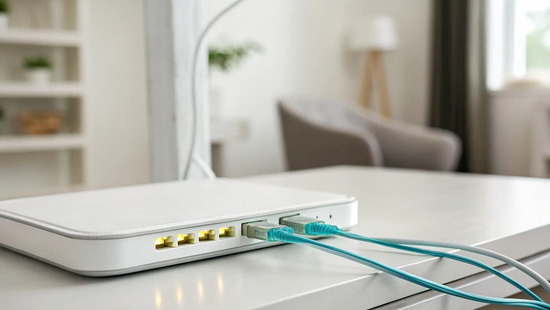
Your home is getting smarter every day. Between 4K streaming, video calls for work, online gaming, and a growing number of connected devices, your network is working harder than ever. A fast internet connection is only part of the solution; you also need hardware that can manage all that traffic without breaking a sweat. This is where the fiber home gateway comes in. It’s built to be the powerful, reliable hub for the modern connected home, ensuring every device gets the speed it needs. We’ll cover the key benefits, from lower latency to future-proofing your network for whatever new technology comes next.
Key Takeaways
- Your gateway is an all-in-one internet hub: It combines a modem and router into one streamlined device, which reduces clutter and simplifies your setup. This design is specifically built to handle the full power of a fiber connection, delivering top speeds to all your gadgets.
- Prioritize modern Wi-Fi standards for better performance: A gateway with Wi-Fi 6 is essential for a busy home network. It ensures everyone can stream, game, and work at the same time without frustrating lag, letting you take full advantage of your fiber internet plan.
- Placement is crucial for strong Wi-Fi coverage: For the best signal, place your gateway in a central, open location away from thick walls or large appliances. This simple step helps eliminate dead zones and ensures a reliable connection in every room of your house.
What Is a Fiber Home Gateway?
Think of a fiber home gateway as the command center for your home’s internet. It’s a single, powerful device that connects your home to the high-speed fiber optic network and then shares that connection with all your devices. Unlike older internet setups that often required a separate modem and router, a gateway combines both functions into one streamlined box. This not only saves space and reduces cord clutter but also simplifies your entire setup.
This all-in-one approach is specifically designed to handle the incredible performance of fiber internet. It’s the central hub that ensures the lightning-fast speeds you get from our services are delivered efficiently to your laptop, smart TV, gaming console, and everything in between. When you get fiber internet, the gateway is the essential piece of hardware that brings that next-level experience to life inside your home.
Your All-in-One Hub for Fiber Internet
A fiber gateway is your central point for all things connectivity. It takes the place of older, clunkier internet boxes and is built to manage the massive data capacity of a Fiber-To-The-Home (FTTH) connection. By integrating the modem and router, it creates a single point of contact for your entire network, which means a much simpler troubleshooting process if you ever run into issues. This integrated design ensures a seamless internet experience, providing a strong, stable Wi-Fi signal throughout your home so you can stream, work, and play without interruption.
How It Turns Light into Data
The magic of fiber internet is that it sends data as pulses of light through glass cables at incredible speeds. Your fiber home gateway acts as a brilliant translator for this process. Its main job is to receive those light signals from the fiber optic line and convert them into electrical signals that your devices can understand and use. This conversion is handled by a component inside the gateway called an Optical Network Terminal (ONT). This quick and efficient translation is what allows you to experience ultra-fast speeds and a super-reliable connection for everything you do online.
Gateway vs. Modem and Router: What's the Difference?
If you’ve ever set up an internet connection, you’re probably familiar with the classic duo: the modem and the router. Think of the modem as a translator. It takes the signal from your internet provider’s line (like cable or DSL) and converts it into a digital signal your devices can use. The router then acts as a traffic director, taking that single connection and sharing it wirelessly with all the laptops, phones, and smart TVs in your home. It creates your Wi-Fi network, letting everyone connect at once.
A fiber home gateway, however, changes the game by combining both of these jobs into one efficient device. It connects directly to the fiber optic cable entering your home, translates the light-based signal, and broadcasts a powerful Wi-Fi signal all from a single box. This all-in-one approach is one of the key differences between a gateway and older setups. Instead of juggling two pieces of hardware, you have a single, central hub for your internet. It’s a simpler, more integrated way to manage your home network, designed specifically for the power of fiber internet.
Why One Device Is Better Than Two
Choosing a single gateway device over a separate modem and router is like decluttering your digital life. With one box instead of two, you immediately free up space and use one less power outlet. There are fewer messy cables to manage behind your desk or entertainment center. This simplicity also extends to setup and troubleshooting. If your connection ever has an issue, you only have one device to restart or check, which removes the guesswork of figuring out whether the modem or the router is the source of the problem. This integrated design provides a more streamlined user experience, making it easier for everyone in the family to stay connected without a fuss.
The Performance and Speed Advantage
A fiber gateway isn't just about convenience; it's built for performance. Fiber optic technology is capable of delivering incredibly fast and reliable internet, and you need equipment that can keep up. A gateway is engineered to handle the massive bandwidth that fiber provides, ensuring you get the full power of your connection without a bottleneck. This means you can enjoy the benefits of our high-speed internet plans, like seamless 4K streaming, competitive online gaming with low latency, and quick downloads for large files. The gateway ensures that the lightning-fast speed entering your home is delivered just as quickly to every device you own.
Key Benefits of a Fiber Home Gateway
A fiber home gateway is more than just the box that brings the internet into your home; it’s the central command for your entire digital life. When you switch to fiber internet, this single device works as your modem and router, translating the light signals from the fiber optic cable into a powerful connection for all your devices. This integrated approach unlocks some serious advantages, making your online experience faster, more reliable, and ready for whatever comes next. Let’s look at the three biggest benefits you’ll notice right away.
Enjoy Faster Speeds and Lower Latency
The most immediate advantage of a fiber gateway is its ability to deliver pure, unadulterated speed. Unlike older equipment that can create a bottleneck, a fiber gateway is built to handle the massive bandwidth of a fiber optic connection. This means you get the full power of your internet plan, whether you're on a 500 Mbps plan or something even faster. You’ll also experience significantly lower latency, which is the delay between sending a signal and receiving a response. For you, that translates to lag-free gaming, crystal-clear video calls without awkward pauses, and streaming your favorite shows in 4K without a single moment of buffering. It’s the smooth, instantaneous connection you’ve always wanted.
Seamlessly Connect Your Smart Home
Today’s homes are filled with connected devices, from smart TVs and security cameras to thermostats and speakers. A fiber gateway acts as a powerful, all-in-one hub designed to manage this complex network with ease. It combines the functions of a modem, router, and wireless access point, ensuring every device has a strong, stable connection. This means you can stream a movie in the living room, have a video conference in the office, and have your kids game online, all at the same time, without anything slowing down. The gateway efficiently directs traffic, so your smart home runs smoothly and all your gadgets work exactly as they should, creating a truly seamless connected experience.
Future-Proof Your Home Network
Choosing fiber internet is an investment in your home’s future, and the gateway is a key part of that. Fiber optic technology is the pinnacle of internet connectivity, and it’s built to handle the demands of tomorrow. As technology evolves with things like 8K streaming, virtual reality, and even more smart devices, your fiber connection will be ready. A high-quality fiber gateway ensures your home network can keep up with these advancements for years to come. You won’t have to worry about upgrading your hardware every couple of years just to stay current. By installing a fiber gateway now, you’re setting up a reliable, high-performance network that will support your digital life long into the future, backed by a local provider committed to delivering lasting value.
What to Look For in a Fiber Gateway
Choosing the right fiber gateway is a lot like picking the right command center for your home. It’s the device that takes that incredible fiber-optic speed and distributes it to all your laptops, smart TVs, and gaming consoles. Not all gateways are created equal, so knowing what to look for can make a huge difference in your daily internet experience. Think about your family’s needs, from streaming movies to working from home, and use these points to find a gateway that can handle it all.
Wi-Fi Standards and Speed
When you see terms like "Wi-Fi 6" or "Wi-Fi 6E," think of them as different generations of wireless technology. Each new generation is faster, more efficient, and better at handling multiple devices at once. For a home full of smart gadgets, you’ll want a gateway that supports a modern Wi-Fi standard like Wi-Fi 6. This ensures that your connection stays strong and stable, even when someone is gaming in the living room, another is on a video call in the office, and a third is streaming a 4K movie upstairs. It’s the key to getting the most out of your blazing-fast fiber connection without any frustrating lag.
Physical Ports and Connectivity
While Wi-Fi is great, sometimes a direct, wired connection is best. That’s where physical ports come in. Look for a gateway with multiple Ethernet ports. These are perfect for devices that need the most stable connection possible, like a desktop computer for remote work, a gaming console, or a smart TV. A good gateway acts as an all-in-one hub, combining your fiber connection, router, and Wi-Fi hotspot into a single, streamlined device. This simplifies your setup and reduces clutter, giving you a powerful and organized home network with options for both wired and wireless connections.
Security and Management Features
Your gateway is the first line of defense for your home network, so security is a top priority. Modern gateways come with built-in features to keep your personal information safe from online threats. Look for essentials like a strong firewall, which acts as a digital gatekeeper, and WPA3 encryption, the latest standard for securing your Wi-Fi. Many also offer user-friendly security tools, such as guest networks that let visitors get online without accessing your main network, and parental controls to help you manage your kids' screen time. These features give you peace of mind and help you protect your network.
User-Friendly Controls
You shouldn't need a degree in IT to manage your home internet. The best fiber gateways come with a simple mobile app or an intuitive web dashboard that puts you in control. These tools make it easy to handle common tasks right from your phone. You can change your Wi-Fi password, see which devices are connected to your network, and even run speed tests with just a few taps. This level of easy access ensures you can manage your network effortlessly, making sure everything runs smoothly without having to sort through complicated settings or technical manuals.
Rent vs. Buy: Which Gateway Is Right for You?
Once you’ve decided on a fiber internet plan, you have another choice to make: should you rent a gateway from your provider or buy your own? There’s no single right answer, as the best option really depends on your budget and how hands-on you want to be with your tech. Renting offers convenience and support, while buying can save you money in the long run and give you more control. Let’s walk through the pros and cons of each approach so you can feel confident in your decision.
The Pros and Cons of Renting
Renting a gateway from your internet service provider is the simplest, most hassle-free option. When you rent, the equipment is guaranteed to work with your service right out of the box. If you ever run into technical trouble, help is just a phone call away, and if the device fails, your provider will typically replace it for free. Many providers also automatically upgrade your equipment every few years, so you always have up-to-date technology. The main drawback is the cost. Those monthly rental fees, usually between $10 and $15, can add up significantly over time, often costing you more than the gateway is actually worth after a couple of years.
The Pros and Cons of Buying
Buying your own gateway is a great way to save money over the long term. While you’ll have a higher upfront cost, you’ll eliminate that monthly rental fee from your bill. After a year or two, the device will have paid for itself. Owning your gateway also gives you the freedom to choose a model that perfectly fits your needs, whether you want advanced security features, wider Wi-Fi coverage for a large home, or more ports for your devices. The trade-off is that you are responsible for your own technical support. If something goes wrong, you’ll need to troubleshoot it yourself or work with the manufacturer, not your internet provider.
Checking for Compatibility
This is the most important step if you decide to buy. Not all gateways work with every internet provider, so you absolutely must confirm compatibility before you purchase anything. The last thing you want is to spend money on a new piece of tech only to find out it won’t connect to your service. Most providers, including Novos Fiber, have a list of approved devices on their website. You can also call the customer support team to ask for recommendations or to verify if a specific model you’re considering will work. A quick check beforehand can save you a major headache later. For more information, you can always visit our support page.
Top Fiber Home Gateway Options
Once you understand what a fiber gateway does, the next step is picking the right one for your home. The market is full of options, from the straightforward and reliable to the high-tech and feature-packed. Your choice depends on your internet habits, the size of your home, and how much control you want over your network. Let's walk through some of the best choices, starting with the ones that pair perfectly with your fiber connection.
Gateways That Work with Novos Fiber
To get the incredible speeds you're paying for, you need a gateway that can keep up. Fiber internet uses a special device called an Optical Network Terminal (ONT) to bring the connection into your home, and your gateway or router plugs into that. At Novos Fiber, we make it simple by providing a high-performance gateway that’s optimized for our network. This ensures you get the blazing-fast, reliable service you expect right from day one.
Using the gateway we provide is the easiest path to getting online. It’s guaranteed to be compatible with our fiber internet services, and if you ever run into an issue, our local support team knows the hardware inside and out. This means faster troubleshooting and less guesswork for you.
Other High-Performance Models
If you’re a tech enthusiast or have specific needs, you might consider buying your own router to use with our ONT. When shopping, look for a model that supports the latest Wi-Fi 6 standard. This will give you the speed and stability needed for a home full of connected devices, from laptops and smart TVs to security cameras and thermostats.
For very large homes or households with dozens of gadgets all running at once, a quad-band router can be a great investment. It offers an extra wireless band to reduce network congestion, keeping everything running smoothly. Before you buy any third-party equipment, just be sure to check that it’s compatible with our service to avoid any setup headaches.
Understanding Price Ranges
Gateway prices can vary quite a bit, from under a hundred dollars to several hundred for top-of-the-line models. Think of it as an investment in your home’s connectivity. A basic model is often enough for browsing and streaming, but a more powerful one can make a huge difference for online gaming, 4K video streaming, and managing a smart home.
At Novos Fiber, we believe in transparent pricing without confusing conditions or hidden fees. Whether you use our provided equipment or purchase your own, you’re getting a connection with true unlimited data. That means no data caps and no speed throttling, so you can be confident that your gateway’s performance is the only thing determining your experience.
Common Fiber Gateway Myths, Busted
When you switch to fiber internet, you’ll hear a lot about the gateway. This little box is the heart of your home network, but it’s also surrounded by a lot of confusion. Let's clear the air and bust a few common myths so you can feel confident about your connection.
Myth: It's Just an Expensive Modem
It’s easy to see why people think this, but a fiber gateway is so much more than a modem. Think of it as the ultimate all-in-one device for your home internet. While a modem simply brings the internet signal into your home, a gateway also includes a built-in router to create your Wi-Fi network and share the connection with all your devices. It’s a modem, router, and Wi-Fi access point combined into one sleek, efficient package. This integration means fewer boxes, fewer cables, and a system designed to work together perfectly to deliver the high-speed fiber internet you signed up for.
Myth: Setup Is Too Complicated
The idea of setting up new tech can be intimidating, but fiber gateways are designed to make your life easier. Because they combine multiple functions into a single device, there’s less to plug in and configure. The goal is a streamlined, user-friendly experience. Plus, when you sign up with a provider like Novos Fiber, you don’t have to handle it alone. A professional technician takes care of the installation, ensuring everything is placed correctly and running at peak performance from day one. If you ever have questions later, our local support team is always here to help you out.
Myth: All Gateways Offer the Same Performance
This is a big one. Not all gateways are created equal, and the quality of your device directly impacts your internet experience. A lower-quality gateway can lead to signal loss, slower speeds, and a less reliable connection, even with the fastest fiber plan. Things like careful installation and high-quality materials are essential for optimal network performance. That’s why we provide top-of-the-line equipment that’s specifically chosen to handle our network’s incredible speeds. Using the right gateway ensures you get the consistent, lightning-fast, and reliable connection you expect across every device in your home.
How to Set Up Your Gateway for the Best Performance
You’ve got the best fiber internet in town, so let’s make sure your setup is ready to deliver those incredible speeds to every corner of your home. Your fiber gateway is the heart of your network, the command center that directs lightning-fast data to all your devices. But just like a high-performance car needs the right conditions to reach top speed, your gateway needs a little attention to perform at its peak. A few simple tweaks to its placement and configuration can make a world of difference, transforming a good connection into a great one.
This means eliminating frustrating dead zones in the back bedroom, ensuring your video calls for work are crystal clear, and providing the low-latency connection you need for competitive gaming. Getting it right from the start saves you from headaches and troubleshooting later, letting you enjoy the full power of your fiber connection without interruption. Taking a few minutes to optimize your setup ensures every device gets the bandwidth it needs, whether the kids are streaming cartoons, you're uploading large work files, or the whole family is online at once. We'll walk you through everything you need to know, from the initial unboxing to fine-tuning your settings for a flawless online experience.
A Step-by-Step Installation Guide
Getting your new fiber gateway up and running is pretty straightforward. First, connect the fiber line from your wall to the Optical Network Terminal (ONT), the small box that translates light signals into an internet connection. Next, use a quality Ethernet cable to connect the ONT to your gateway. Once everything is plugged in and powered on, open a web browser on a connected device and type in your gateway’s IP address to access the settings. Here, you’ll create your Wi-Fi network name (SSID) and a strong password. After saving your settings, run a quick speed test to confirm you’re getting the speeds you signed up for. If you hit any snags, our local support team is always here to help you out.
Best Practices for Placement and Configuration
Where you place your gateway has a huge impact on your Wi-Fi experience. Think central. Find a spot in the middle of your home, up off the floor, and away from thick walls or large metal objects like a refrigerator. This helps the signal travel evenly so you can enjoy our high-speed fiber internet in every room. For devices that demand a rock-solid connection, like a gaming console or work-from-home PC, plugging them directly into the gateway with an Ethernet cable is always the best bet. If you run out of ports, a simple Ethernet switch can expand your options. Finally, remember to keep your gateway’s firmware updated for the latest security patches and performance improvements.
How to Troubleshoot Common Gateway Problems
Even the most reliable technology can have an off day. If your internet suddenly feels sluggish or your connection drops, there’s usually a simple explanation. Before you get frustrated, know that many common gateway issues can be fixed in just a few minutes with some basic troubleshooting. It often comes down to a loose cable or a device that just needs a quick restart.
We’ll walk through a few easy checks you can perform yourself to get your network running smoothly again. These steps solve the majority of speed and connectivity hiccups. We’ll also cover the specific signs that indicate the problem might be outside your home, letting you know exactly when it’s the right time to contact your internet provider for assistance. Think of this as your go-to guide for getting back online fast.
Solving Speed and Connectivity Issues
First, try the classic fix: reboot your gateway. Unplug it from the power outlet, wait about 30 seconds, and plug it back in. This simple step resolves a surprising number of issues. Next, check your physical connections. Ensure the fiber optic cable is securely plugged in and isn’t bent or kinked at a sharp angle. Fiber cables transmit data using light, and a tight bend can disrupt the signal, leading to slower speeds. Also, consider your gateway’s location. For the best Wi-Fi performance, place it in a central, open area away from thick walls and other electronics that can cause interference.
When to Contact Your Provider for Help
Sometimes, the problem is bigger than a simple reboot can solve. If you’ve tried the basic steps and your internet is still down or unusually slow, it’s time to call for backup. Look at the status lights on your gateway; a red or blinking orange light often signals a problem with the connection coming into your home. If you have no internet on any device, or if your speeds are consistently low despite troubleshooting, the issue may be with the external fiber line. When you suspect the problem is outside your four walls, our local support team is ready to diagnose the issue and get you back online.
Related Articles
Frequently Asked Questions
Do I need a special gateway for fiber internet, or can I use my old modem? You will need a fiber gateway. Your old modem from a cable or DSL provider is designed to translate different types of signals and won't work with a fiber optic connection. A fiber gateway is an all-in-one device built specifically to convert the light signals from the fiber line into a powerful internet connection and then broadcast it as Wi-Fi throughout your home. It's the essential piece of equipment that makes those super-fast speeds possible.
What's the single most important thing I can do to improve my Wi-Fi signal? Placement is everything. The best thing you can do for your signal is to place your gateway in a central, open location in your home, preferably on a main floor. Avoid tucking it away in a closet, a cabinet, or the corner of your basement. Think of the Wi-Fi signal like light from a lamp; the more obstacles you put in its way (like walls, floors, and large appliances), the weaker it will be.
Should I use the gateway provided by Novos Fiber or buy my own? Using the gateway we provide is the most straightforward option. It's guaranteed to be compatible with our network, and our local support team can help you troubleshoot it quickly if any issues arise. If you're more tech-savvy and want specific features, you can buy your own. Just be sure to check with us first to confirm that the model you're considering is compatible with our service, as you'll be responsible for its setup and support.
How does a fiber gateway help if I have a lot of smart home devices? A fiber gateway acts like an expert traffic director for your busy home network. It's designed to handle dozens of connections at once without breaking a sweat. This means your smart thermostat, security cameras, speakers, and lights can all run smoothly at the same time, without slowing down the movie you're streaming or the video call you're on. It ensures every device gets a stable, reliable connection.
My internet seems slow. Is it the gateway's fault? It could be, but there are a few things to check first. The simplest and most effective first step is to restart your gateway by unplugging it for about 30 seconds. Also, check its location; moving it to a more central spot can make a huge difference. If you've tried these steps and your speeds are still consistently low on multiple devices, it might be an issue with the connection to your home. At that point, it's a good idea to contact our support team so we can investigate.


